
What Does 10 Blinks Mean on a LiftMaster Garage Door Opener?
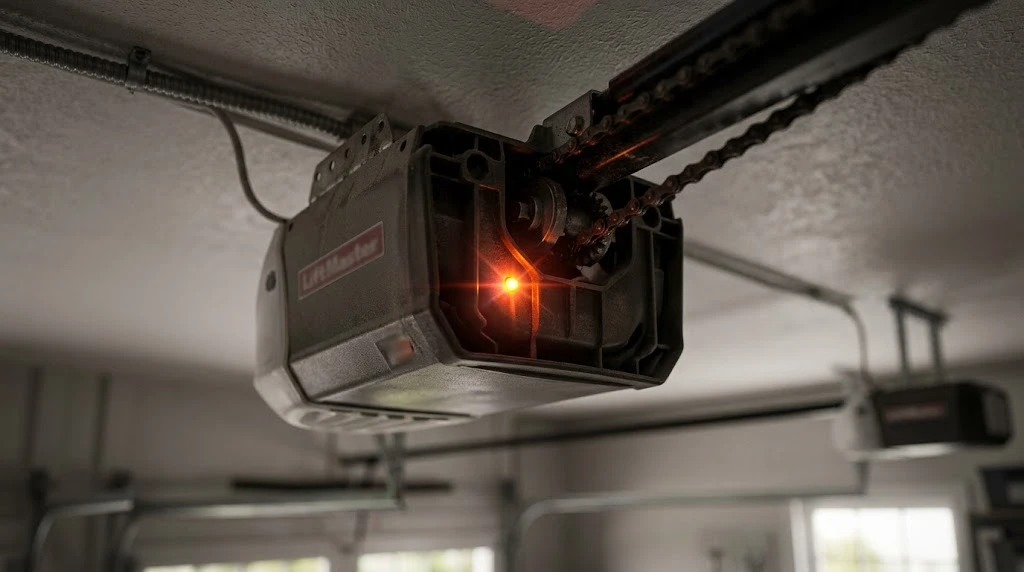
LiftMaster openers use a built-in diagnostic system. When something goes wrong, the motor unit’s main light or learn button LED blinks a set number of times. Ten blinks is a specific code confirmed by Chamberlain’s own support documentation: the safety reversing sensors are misaligned, obstructed, or disconnected.
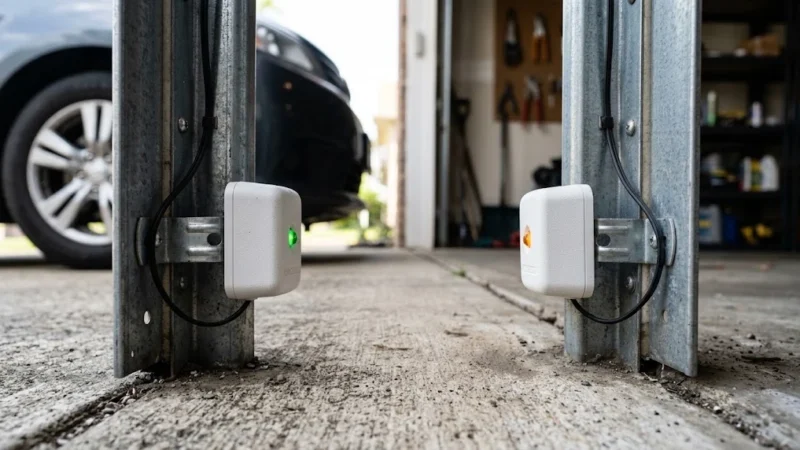
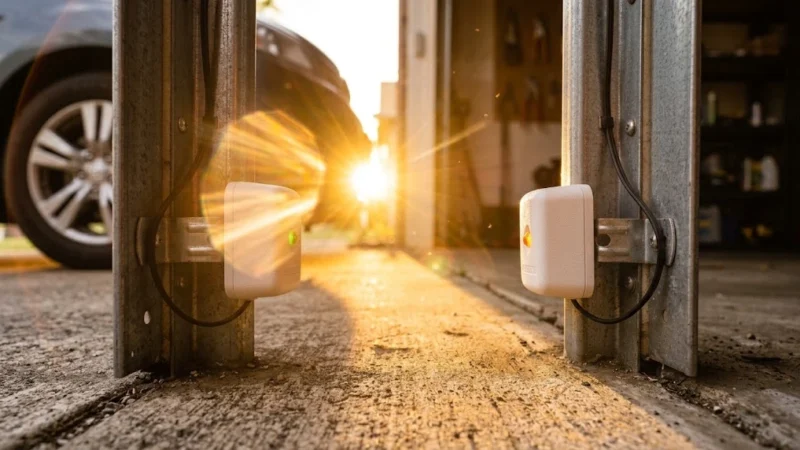
These are the two small sensor “eyes” mounted near the floor on each side of the garage door track. They send an invisible beam across the opening. If that beam is broken, blocked, or the sensors aren’t pointed at each other precisely, the opener won’t close the door — or it reverses mid-close — and the light blinks 10 times to tell you why.
This is a federally mandated safety feature on every garage door opener sold in the US since 1993, so every LiftMaster model has it, regardless of drive type or price point.
Some newer LiftMaster belt-drive and chain-drive models don’t show a single blinking light at all. Instead, the wall control flashes its up and down arrow icons. On these units, an Up-1/Down-4 or Up-4/Down-6 pattern points to the same sensor problem covered in this guide, just displayed differently.
Short Answer: LiftMaster 10 blinks means the safety reversing sensors near the floor are misaligned, blocked, or disconnected — not an RPM or motor fault. Check that both sensor LEDs glow solid, clear anything blocking the beam between them, and realign the brackets if one has been bumped. Most fixes take under 10 minutes and cost nothing.
Where Are the Safety Sensors and How Do They Work?
The two sensors sit on small brackets bolted to the bottom of each vertical track, no more than 6 inches above the garage floor. One is the sender, one is the receiver, and they must point directly at each other across the doorway.
| Sensor | Normal LED State | What It Means |
|---|---|---|
| Sender (often no LED, or solid green) | Solid light | Powered and transmitting the beam |
| Receiver | Solid light (green or amber depending on model) | Beam received — alignment is good |
| Receiver | Blinking or off | Beam is blocked, misaligned, or a wire is loose |
If you see the door reverse right as it’s about to close, or it refuses to close at all while the wall button LED blinks 10 times, start at the sensors before touching anything else on the opener.
How to Fix the LiftMaster 10 Blink Sensor Error (Step by Step)
Work through these steps in order. Most homeowners fix this without buying any parts.
| Field | Detail |
|---|---|
| Symptoms | Door won’t close, reverses partway through closing, or the wall control/motor unit light blinks 10 times |
| Probable Causes | Misaligned or dirty sensor lenses, an object blocking the beam, direct sunlight glare, damaged or loose sensor wiring, or a failed sensor |
| DIY Suitability | Safe for DIY in nearly every case |
| Safety Risk Level | Low |
| Repair Cost Range | $0 for DIY cleaning/alignment, $10-$40 for wiring or sensor parts, $100-$200 if you call a pro |
| Repair Time Estimate | 5-30 minutes DIY, same-day for a professional visit |
Need the door closed right now? On LiftMaster openers with a logic board made before February 3, 2022, you can press and hold the wall control push bar to force the door closed, bypassing the sensor check. Only do this after confirming nothing – no pet, box, or person – is actually in the doorway. It’s a temporary workaround, not a fix, and newer replacement logic boards no longer include this override.
Step 1: Check for Anything Blocking the Beam
Walk the length of the door opening at floor level. A stored bike, a leaf blower, a box that got shifted, or even a spider web across the lens can break the beam. Clear the path completely and test the door.
Direct sunlight hitting the receiving sensor at certain times of day can also wash out the beam and trigger a 10-blink error, even when nothing is physically blocking the path. If the error only happens in the morning or evening, try shading the sensor with a small piece of cardboard temporarily to confirm sunlight is the cause.
Step 2: Look at the LED on Each Sensor
Crouch down and look at both sensor units. On most LiftMaster models, the receiver’s LED should be solid — not blinking, not off. If it’s blinking or dark, the sensors aren’t seeing each other correctly.
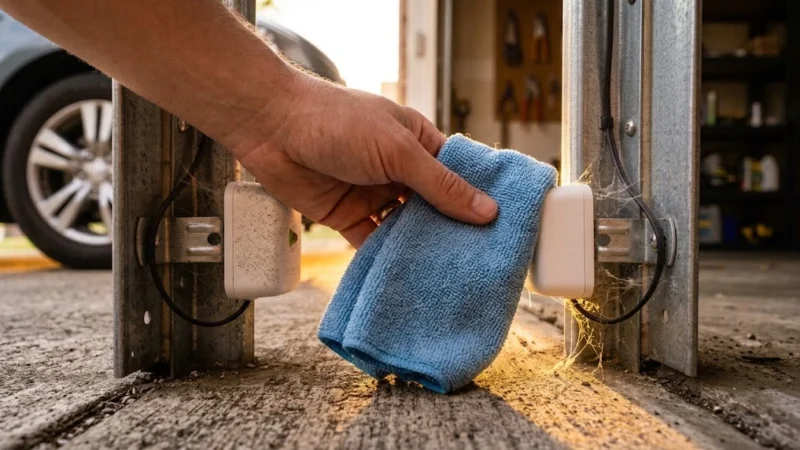
- Wipe both lenses clean with a dry cloth. Dust, cobwebs, and grime are common culprits.
- Check that neither bracket has been bumped, kicked, or knocked loose — this happens often in garages where bikes or lawn equipment lean against the tracks.
- Loosen the wing nut or mounting screw slightly on one sensor and gently pivot it left and right until the receiver LED turns solid.
- Retighten once the light is steady, then test the door through a full close cycle.
Step 3: Check the Sensor Wiring
If cleaning and realigning doesn’t fix it, the wire running from a sensor back to the motor unit may be pinched, cut, or disconnected — often from a car bumping a track or a DIY project nearby.
- Unplug the opener before handling any wiring.
- Trace each sensor’s wire back to the motor head and confirm both terminals are firmly seated.
- Check that wire colors match at both ends – white to white, black to black. Reversed polarity keeps the error active even when the connection looks fine.
- Look for cut, frayed, or rodent-damaged sections along the track.
- Reconnect or splice as needed, then plug back in and test.
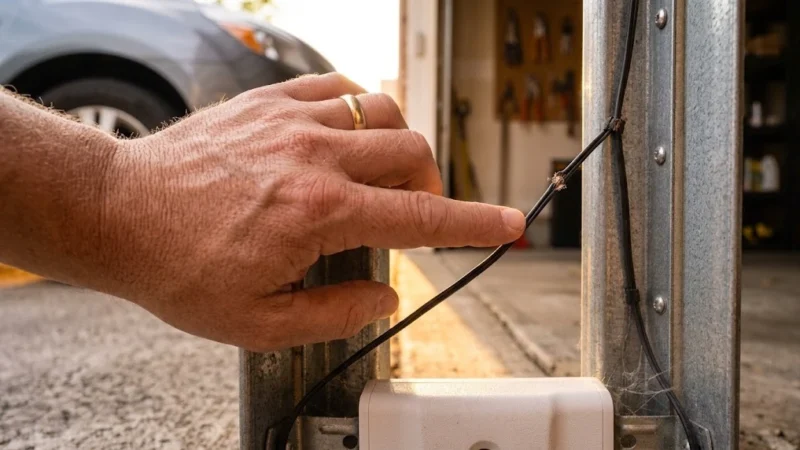
Replacement sensor wire and connector kits run $10–$25 if a section needs to be replaced rather than repaired.
Step 4: Replace a Failed Sensor
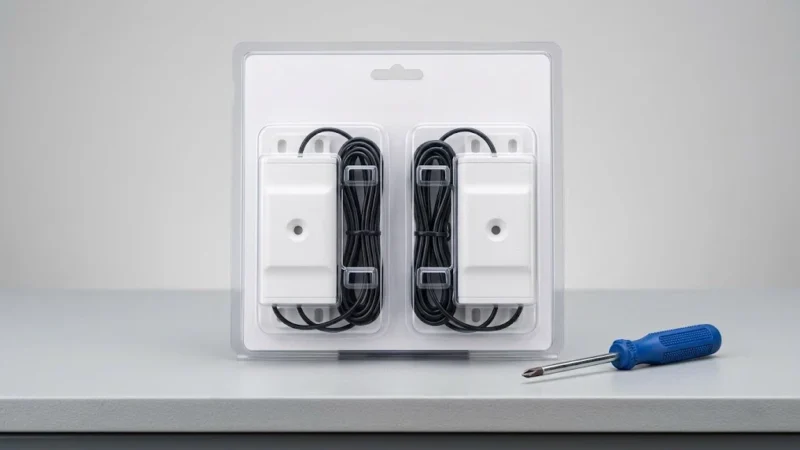
If one sensor’s LED never lights up at all — even after confirming power and a good connection — the unit itself has likely failed. LiftMaster safety sensor pairs are sold as a matched set and typically cost $20–$40.
The current OEM kit is part number 041-0136 (it replaced the older 41A5034 kit, and both are fully compatible).
Search Amazon for your model number plus “safety sensor kit” to find a compatible matched pair. Always replace both sensors together, even if only one looks bad, since mismatched sensor pairs from different production runs sometimes fail to sync.
Step 5: Call a Professional
If the sensors check out, are correctly aligned, wired properly, and the LEDs are solid — but the door still reverses or the code persists — the logic board itself may be misreading a good signal as bad. That’s a less common but more expensive fix, and it’s a reasonable point to bring in a technician.
LiftMaster 10 Blinks: Repair Cost Breakdown
| Fix | Parts Cost | Labor (if pro) | Total Estimate |
|---|---|---|---|
| Clean lenses / clear beam obstruction (DIY) | $0 | N/A | $0 |
| Realign sensor brackets (DIY) | $0 | N/A | $0 |
| Repair or reconnect wiring (DIY) | $10–$25 | N/A | $10–$25 |
| Replace sensor pair (DIY) | $20–$40 | N/A | $20–$40 |
| Professional diagnosis + repair | Varies | $75–$150 | $100–$200 |
In our experience with these diagnostic codes, the sensors get blamed last when they should be checked first — a bumped bracket or a dusty lens causes far more 10-blink errors than any actual electronic failure. Always rule out alignment and obstruction before assuming a part needs replacing.
How to Prevent This Error in the Future
Safety sensors are simple and reliable, but their position near the floor makes them vulnerable to everyday garage activity.
- Keep the sensor path clear: Avoid storing bikes, tools, or bins directly in front of either sensor bracket.
- Check alignment after any bump: If a car, bike, or lawn equipment knocks against a track, glance at the sensor LEDs before your next full close cycle.
- Clean the lenses seasonally: Dust and cobwebs build up gradually and can degrade the signal even without full misalignment.
- Protect wiring during projects: If you’re doing any work near the tracks — shelving, insulation, storage systems — keep the sensor wire routing in mind so it doesn’t get pinched or cut.
Frequently Asked Questions
Can I bypass the safety sensors to keep using the opener?
No safe bypass exists on modern LiftMaster units, and disabling them is illegal under federal safety regulations for residential garage door openers. The sensors exist specifically to stop the door from closing on a person, pet, or object. If your unit has a different issue causing it not to lift at all, check our LiftMaster 1/2 HP troubleshooting guide.
Will the 10 blink error clear itself after I fix the sensors?
Yes. Once the sensors are aligned, cleared, or reconnected, the error clears automatically on the next close cycle. There’s no manual reset needed — the opener re-checks the sensor beam every time the door runs.
My LiftMaster blinks 10 times but the door still closes. Is that normal?
Some models will still attempt to close with a marginal signal, but don’t rely on this. A weak or borderline sensor connection can fail completely without warning. Fix the alignment or wiring issue before continuing regular use.
How long do LiftMaster safety sensors last?
The sensors themselves rarely fail outright and often last the life of the opener. Most 10-blink errors come from alignment or an obstruction, not a dead sensor. If you’ve ruled out both and the LED still won’t go solid, replacement is the next step.
Is the 10 blink error the same as error code 10 on newer MyQ models?
Not exactly. Newer LiftMaster openers with MyQ display numeric codes rather than LED blinks, and MyQ’s app-based diagnostics may label sensor issues differently than the LED blink chart. Always verify using the troubleshooting section in your specific model’s manual or the Chamberlain support site. For MyQ-connected openers, see how to manage multiple openers in the MyQ app.
Related Guides
For other LiftMaster opener guides, see How Many Openers Can You Program to a LiftMaster?, LiftMaster Garage Door Won’t Close Without Holding Button, LiftMaster Keypad Programming With No Enter Button, LiftMaster Garage Door Remote Not Working, LiftMaster Garage Light Won’t Turn On, LiftMaster 1/3 HP Troubleshooting, LiftMaster 375UT Not Working, LiftMaster Garage Door Chain Not Moving and LiftMaster Error Code 42.