
A Chamberlain garage door opener that keeps beeping is sending you a specific message. The number and pattern of beeps — one every 30 seconds, four in a row, or continuous — each point to a different fault. Most causes are simple to fix in under 10 minutes without calling a technician. This guide decodes every Chamberlain beep pattern and tells you exactly what to do.
Roto Answer: The most common reason a Chamberlain opener beeps is a low or dead backup battery. A beep every 30 seconds almost always means the battery backup unit needs replacement. Four beeps in a pattern indicate a photo-eye sensor fault. Continuous beeping after a power outage means the opener is running on battery power and will stop when mains power is restored.
Chamberlain Beep Patterns and What They Mean
Not every beep means something is wrong. A single short beep right after you press the wall button or remote is usually just a normal confirmation sound, the same way a microwave beeps to confirm a button press. Repeated or patterned beeping is different — that is the opener trying to tell you something specific, and the fixes below decode exactly what.
Count the beeps carefully before doing anything else. Listen for the full pattern: how many beeps before the pause, and how many after. That sequence is your fault code.
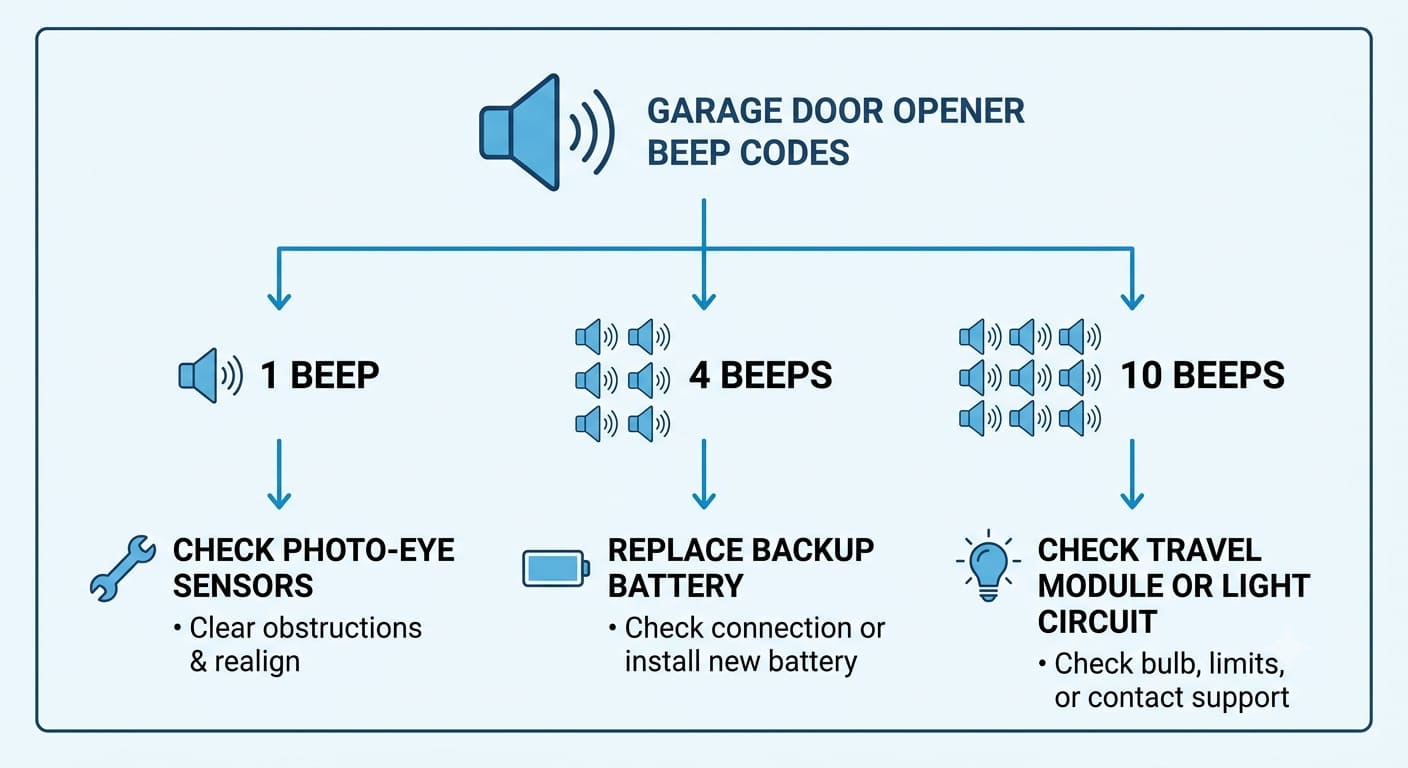
| Beep Pattern | Meaning | Fix |
|---|---|---|
| 1 beep every 30 seconds | Battery backup low or running on battery power | Check for power outage or replace backup battery |
| 4 beeps, pause, repeat | Photo-eye sensor fault | Clear sensor path, clean lenses, realign sensors |
| 5 beeps, pause, repeat | Temporary reversal — door reversed unexpectedly | Check for obstruction, adjust down-force setting |
| 10 beeps, pause, repeat | Motor overload | Let motor cool 15 minutes, check for binding door |
| Continuous beeping | Running on battery backup after power outage | Restore mains power; beeping stops automatically |
| Single beep at startup | Normal operation confirmation | No action needed |
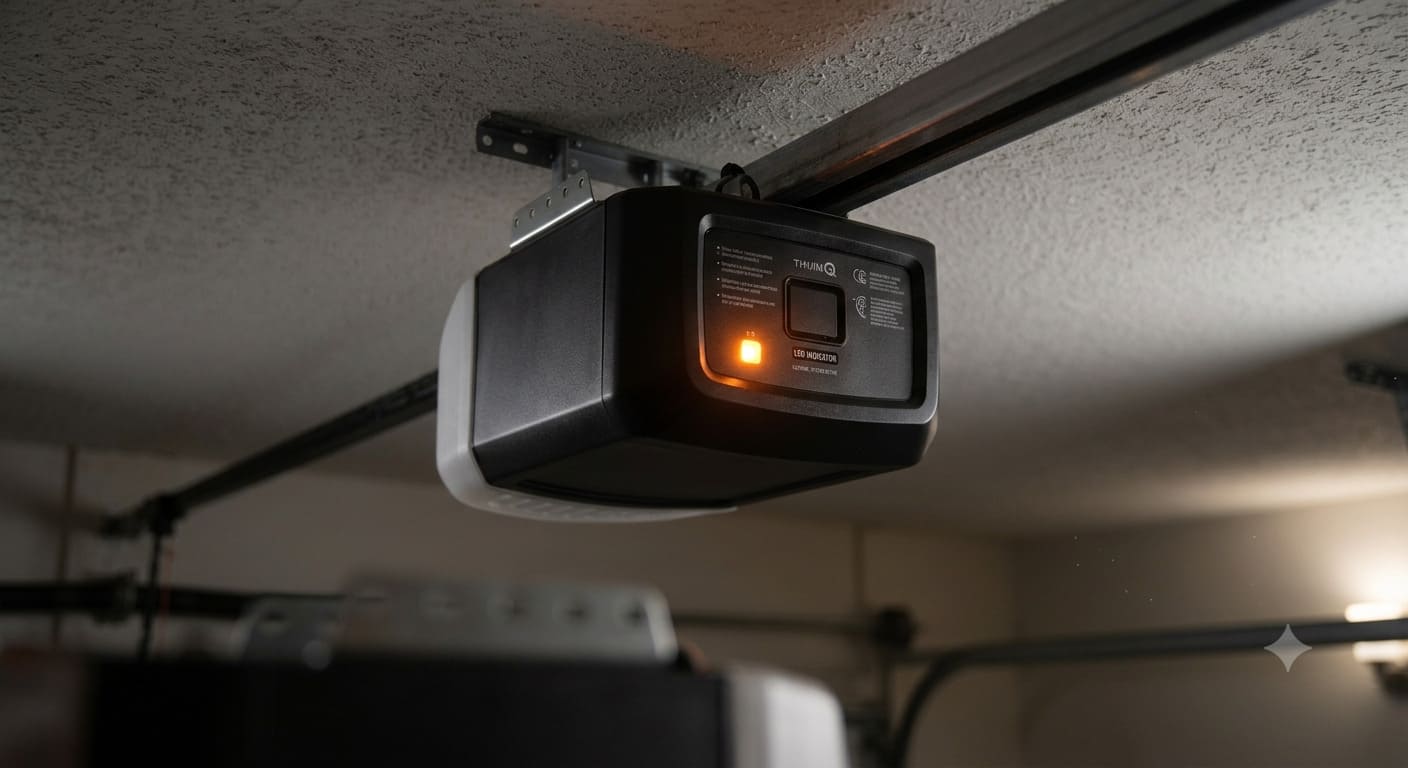
| Beeping + orange LED solid | Running on battery power | Check circuit breaker, restore power |
| Beeping + orange LED flashing | Battery low, needs replacement | Replace backup battery (model 485LM or compatible) |
Fix 1: Low or Dead Backup Battery (Most Common)
This is the cause of the majority of Chamberlain beeping complaints. Any Chamberlain or LiftMaster opener with WiFi connectivity or a battery backup unit will beep when the battery is low or dead. The orange LED on the motor unit confirms this — solid orange means running on battery, flashing orange means battery is low and needs replacement.
How to replace the Chamberlain backup battery
- Locate the orange battery backup unit attached to the side or back of the motor head on the ceiling.
- Press the test button on the battery unit. If it beeps or shows a fault LED, the battery needs replacement.
- Disconnect the battery cable from the connector.
- Replace with a Chamberlain 485LM battery or compatible equivalent. The 485LM fits most Chamberlain and LiftMaster openers with built-in battery backup.
- Reconnect the cable, press the test button again. A green LED confirms the new battery is charging correctly.
Backup batteries last 1 to 3 years depending on how often power outages occur in your area. If the battery has never been replaced and your opener is more than 3 years old, replace it preemptively rather than waiting for the warning.
How to stop the beeping temporarily while waiting for a new battery
Unplug the opener from the ceiling outlet. Then disconnect the backup battery cable. Plug the opener back in. The beeping stops because the opener is now running on mains power only with no battery to warn about. Order a replacement battery and reconnect it when it arrives.

Fix 2: Photo-Eye Sensor Fault (4 Beeps)
Four beeps in a repeating pattern means the photo-eye sensors — the infrared beam sensors mounted near the floor on each side of the door opening — have detected a fault. The door will not close while this condition exists.
- Clear the sensor beam path — remove any object between the two sensors, including brooms, bikes, or even a spider web.
- Check the sensor LEDs. The sending sensor (usually red LED) should be solid. The receiving sensor (usually green or amber LED) should also be solid. A blinking LED on the receiver means misalignment.
- Loosen the wing nut on the blinking sensor. Slowly pivot the sensor until its LED turns solid. Tighten the wing nut firmly.
- Wipe both sensor lenses with a dry cloth. Dust scatters the infrared beam even when sensors are perfectly aimed.
- Test by closing the door. The 4-beep pattern stops when the sensors are communicating correctly.

Fix 3: Power Outage Beeping
When mains power is lost, a Chamberlain opener with battery backup switches automatically to battery power and begins beeping to notify you. The orange LED turns solid. This is normal behavior — the opener is working correctly. The beeping stops automatically when mains power is restored.
If the beeping continues after power is restored, check the circuit breaker for the garage outlet. Plug a phone charger into the outlet to confirm it has power. If the outlet is live but the opener still shows orange, the battery may be too discharged to stop the alert — replace it.
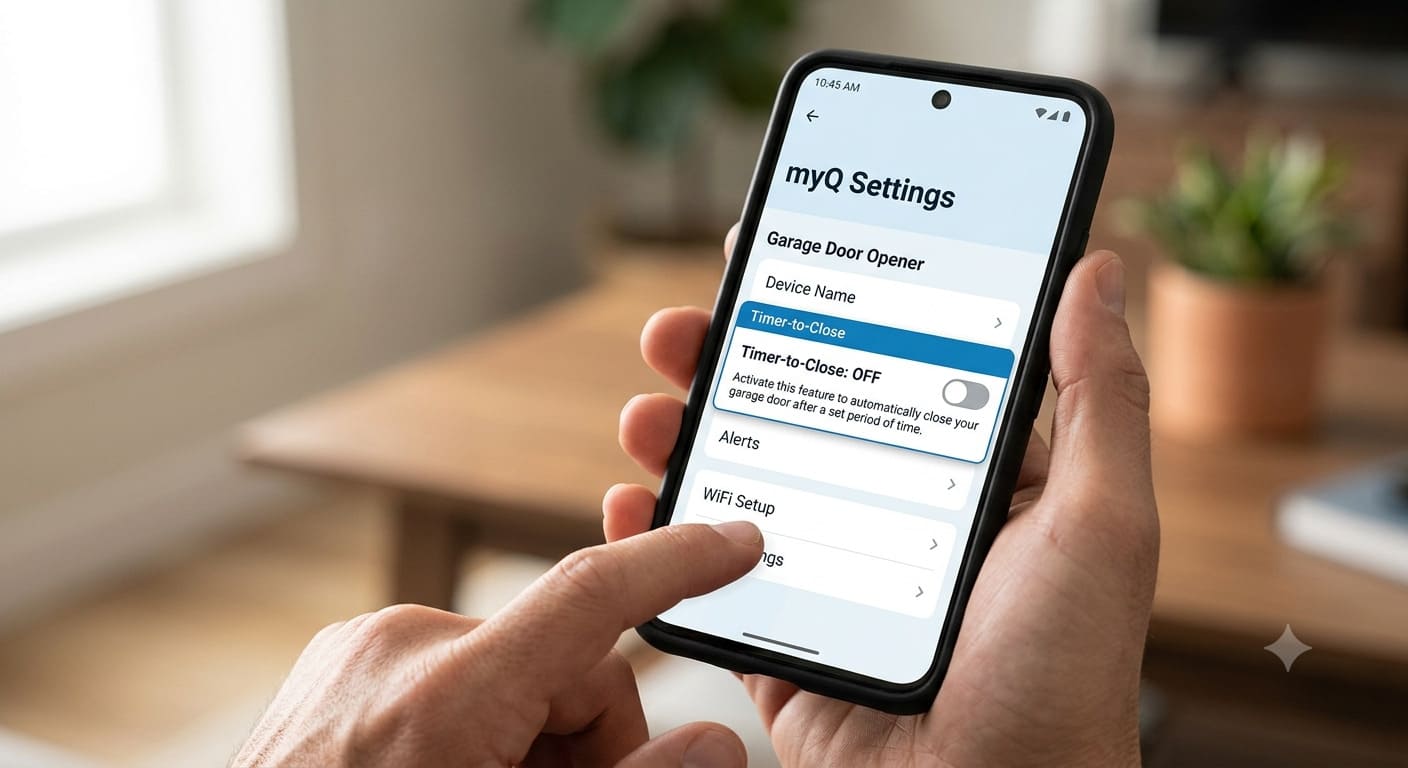
Fix 4: Timer-to-Close Warning Beeps
Chamberlain openers have a Timer-to-Close (TTC) feature that automatically closes the door after a set time. When TTC is active and the door is about to close, the opener beeps as a warning. If you hear beeping followed by the door closing on its own, TTC is enabled.
To disable TTC: on the myQ app, go to Settings, select your opener, and turn off Timer-to-Close. On the physical wall panel (model 880LM or 882LMW), hold the light button for 10 seconds until the LED blinks to toggle the TTC setting.
Fix 5: Motor Overload (10 Beeps)
Ten beeps means the motor has overheated or detected an overload condition. This happens when the opener runs repeatedly in quick succession, or when the door is binding against something and forcing the motor to work harder than normal.
Unplug the opener and let it cool for 15 minutes. Then check the door manually — disconnect the trolley using the red release cord and open and close the door by hand. It should move smoothly with light resistance. If it is stiff, sticky, or drags, lubricate the tracks and rollers with a silicone-based spray. Binding tracks cause motor overloads faster than almost anything else.

Quick Diagnosis Table
| Symptom | Probable Cause | DIY Suitability | Time to Fix |
|---|---|---|---|
| Beep every 30 sec, orange LED solid | Power outage, running on battery | Safe for DIY | Instant when power restored |
| Beep every 30 sec, orange LED flashing | Backup battery dead or low | Safe for DIY | 15 minutes |
| 4 beeps repeating | Photo-eye sensor fault | Safe for DIY | 5 to 10 minutes |
| 5 beeps repeating | Unexpected door reversal | Safe for DIY | 10 to 15 minutes |
| 10 beeps repeating | Motor overload | Safe for DIY | 15 min cool + door check |
| Beeping before door closes | Timer-to-Close active | Safe for DIY | 2 minutes to disable |
| Beeping + logic board error | Failed logic board | Professional required | Service call needed |
If your Chamberlain beeping is accompanied by the keypad not working, see our guide on how to reset a Chamberlain keypad without the code. For sensor issues in more detail, our sensor alignment guide covers the realignment process step by step.
Related Guides
For other Chamberlain guides, see Where Is the Learn Button on a Chamberlain Garage Door Opener? and Best Chamberlain Garage Door Opener.
For official manufacturer guidance, see Chamberlain’s official support page.
Frequently Asked Questions
Why is my Chamberlain garage door opener beeping every 30 seconds?
A beep every 30 seconds almost always means the opener is running on battery power due to a power outage, or the backup battery is low and needs replacement. Check the LED color: solid orange means running on battery power, flashing orange means the battery is dying and needs to be replaced with a Chamberlain 485LM or compatible unit.
How do I stop my Chamberlain opener from beeping immediately?
Unplug the opener from the ceiling outlet. Disconnect the backup battery cable. Plug the opener back in without the battery. The beeping stops because there is no battery condition to warn about. This is a temporary fix — replace the battery and reconnect it to restore full functionality.
What does 4 beeps on a Chamberlain opener mean?
Four beeps in a repeating pattern mean the photo-eye safety sensors have detected a fault — either a blocked beam, misaligned sensors, or a wiring issue. The door will not close until the sensor fault is cleared. Check for obstructions first, then realign the sensor with the blinking LED by loosening its wing nut and pivoting it until the LED turns solid.
My Chamberlain opener beeps after a power outage. Is this normal?
Yes. Chamberlain openers with battery backup automatically switch to battery power during an outage and beep to notify you. The orange LED turns solid. The beeping stops automatically when mains power is restored. If it continues after power is back, check the circuit breaker or replace the backup battery.
Which battery do I need to replace in my Chamberlain opener?
Most Chamberlain and LiftMaster openers with battery backup use the 485LM replacement battery. Check the label on your existing battery unit to confirm compatibility. The battery is typically located in an orange housing attached to the side or back of the motor unit on the ceiling.
Can a Chamberlain opener beep because of the wall control panel?
Yes. Older or malfunctioning wall control panels can send intermittent signals that trigger beeping. Disconnect the wall button wires from the motor unit terminal and see if the beeping stops. If it does, the wall button or its wiring is the source. Replace the wall control panel or rewire the run to fix it.