
If your LiftMaster 1/3 HP opener is grinding, reversing, humming, or ignoring the button completely, the fix is usually simpler than it looks. These openers, often labeled “Chamberlain LiftMaster Professional 1/3 HP” on the light lens, were sold for years as the entry-level LiftMaster chain drive, so their failure patterns are well known.
This guide walks you through each symptom in the order a technician would check it, using LiftMaster’s own manuals and support guidance, so you fix the real cause instead of throwing parts at it.
Short Answer: Start with the door, not the opener: pull the red emergency release and make sure the door lifts easily and stays put halfway. If the door won’t close, check the safety sensor lights (amber and green should both glow steady). If the motor runs but the door doesn’t move, the plastic drive gear is almost always stripped, a $20 to $35 kit. If the opener does nothing, check the outlet, breaker, wall control lock, and give a hot motor 15 to 30 minutes to cool.
In our experience helping homeowners troubleshoot older LiftMaster openers, more than half of “dead opener” calls turn out to be a misaligned sensor, a locked wall control, or a door that has become too heavy because of a tired spring.
Identify Your LiftMaster 1/3 HP Model
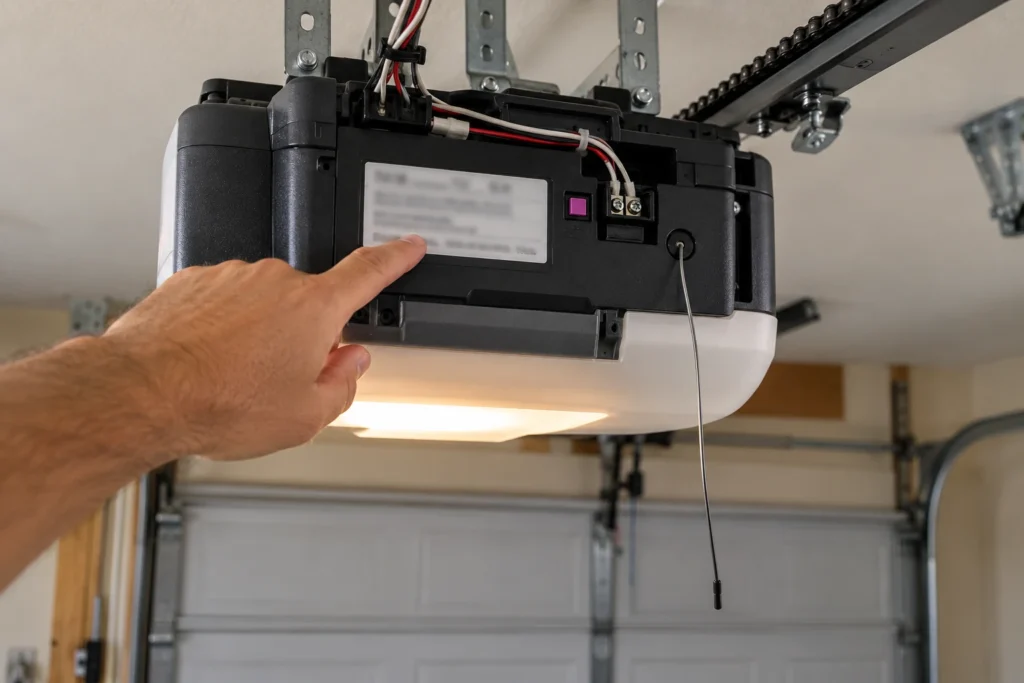
Before you buy any part, confirm exactly what you have. The model number is on a label on the motor unit, usually on the back panel or the side near the light lens. The serial number on the same label tells you roughly when it was built.
| What to Check | Where to Find It | Why It Matters |
|---|---|---|
| Model number (for example 1345 or 1346) | Label on the back or side of the motor head | Gear kits, logic boards and remotes are matched to the model |
| Horsepower | Same label, or the light lens badge | 1345 and 1346 are 1/3 HP; the similar 1355 and 1356 are 1/2 HP |
| Drive type | Look at the rail: chain, belt or threaded screw | Gear kits are different for chain and screw drive units |
| Learn button color | Back or side of the motor head, near the antenna wire | Tells you which remotes and keypads will work |
| Brand on the cover | Light lens | Sears Craftsman and Chamberlain 1/3 HP units were built by the same company and share many parts |
Most 1/3 HP LiftMaster units you’ll find today have a green, orange/red, or purple learn button. Our guide to finding the learn button shows the usual locations. If your opener has no safety sensors at all, it was built before 1993, and LiftMaster recommends replacing openers of that age rather than repairing them.
LiftMaster 1/3 HP Symptom Chart
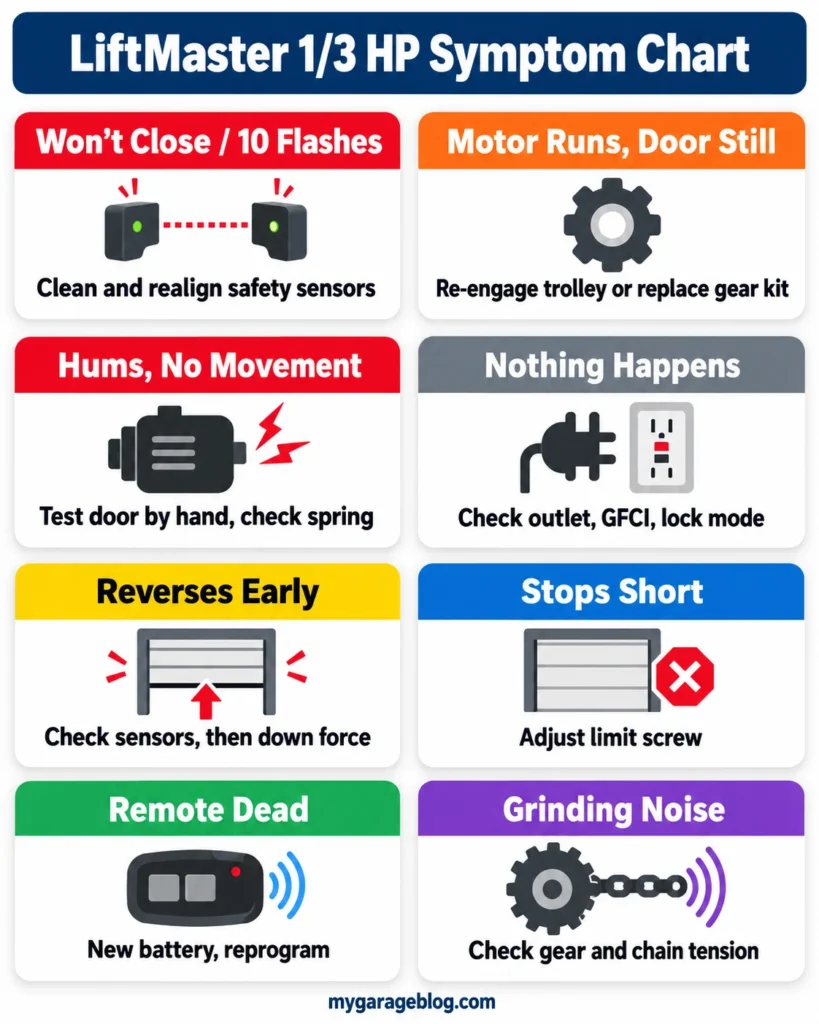
Find your symptom below, then jump to the matching section. Most problems fall into the first three rows.
| Symptom | Most Likely Cause | First Fix | DIY Suitability | Safety Risk Level |
|---|---|---|---|---|
| Door won’t close, lights flash about 10 times | Safety sensors blocked, misaligned or unpowered | Clean and realign sensors until both lights are steady | Safe for DIY | Low |
| Motor runs, door and chain don’t move | Stripped drive gear, or trolley disengaged | Re-engage trolley; if that fails, replace gear kit | Safe for DIY | Low |
| Motor hums for a second, nothing moves | Door binding, broken spring, locked door, failing motor capacitor | Pull release and test the door by hand | Inspect only | High if a spring is broken |
| Nothing happens at all | No power, tripped GFCI, lock mode, overheated motor | Check outlet, breaker and wall control | Safe for DIY | Low |
| Door reverses before hitting the floor | Sensor glitch, force set too light, door sticking | Check sensors, then adjust down force slightly | Safe for DIY | Medium |
| Door stops short or closes too far | Limit setting drifted | Adjust the down or up limit screw | Safe for DIY | Low |
| Remote dead, wall button works | Dead battery or remote not programmed | New battery, then reprogram with the learn button | Safe for DIY | Low |
| Grinding or loud noise | Worn gear, dry or loose chain | Check chain tension and inspect the gear | Safe for DIY | Low |
Check the Door Before the Opener
A 1/3 HP motor has very little extra power, so any problem with the door itself shows up as an opener problem first. Doing this check first saves you from replacing parts that aren’t broken.
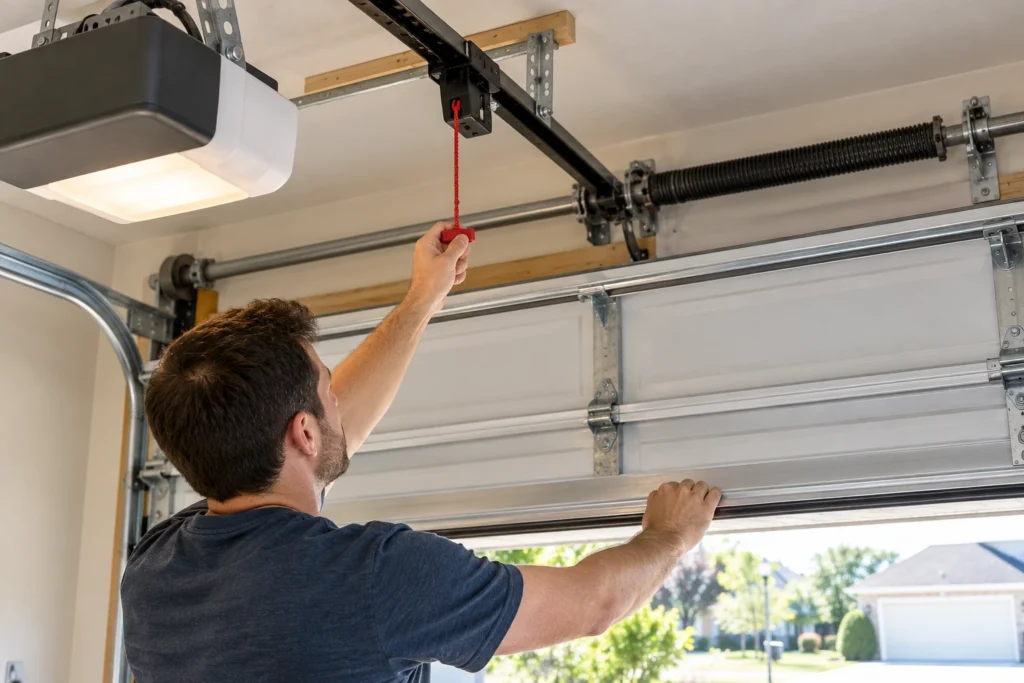
- Close the door, then pull the red emergency release cord so the door is disconnected from the opener.
- Lift the door by hand. It should feel like it weighs roughly 10 pounds and move smoothly without catching.
- Raise it to about halfway and let go. A balanced door stays put or drifts only slightly.
- If the door is heavy, slams down, or won’t stay open, the springs or cables need attention. Stop here and call a garage door technician, because springs store enough energy to cause serious injury.
- Make sure any manual slide lock on the inside of the door is unlocked.
If the door passes this test, reconnect it by running the opener until the trolley clicks back into place, then move on to the symptom that matches yours.
Is Your Door Too Heavy for a 1/3 HP Motor?
LiftMaster built 1/3 HP units for standard single-car doors. If the original lightweight door was replaced with an insulated steel, wood, or carriage-style door, or someone added glass or extra reinforcement, the motor may now be working at its limit. Typical signs are slowing near the top of travel, stopping partway, a motor that feels hot after a couple of cycles, and gears that strip again within months.
A properly balanced spring system carries the door’s weight, not the opener, so first have the springs checked. If the springs are correct and the opener still struggles, a 1/2 HP or larger unit is the real fix. Our LiftMaster 1/2 HP troubleshooting guide covers the next size up, and our article on reinforcing a garage door for an opener explains why added bracing changes the load.
Door Won’t Close: Safety Sensors and 10 Flashes
When the door goes up fine but refuses to close, or reverses right away, the safety reversing sensors are the cause most of the time. On older LiftMaster openers without diagnostic arrows, the main light bulbs flash about 10 times when the opener sees a sensor problem.
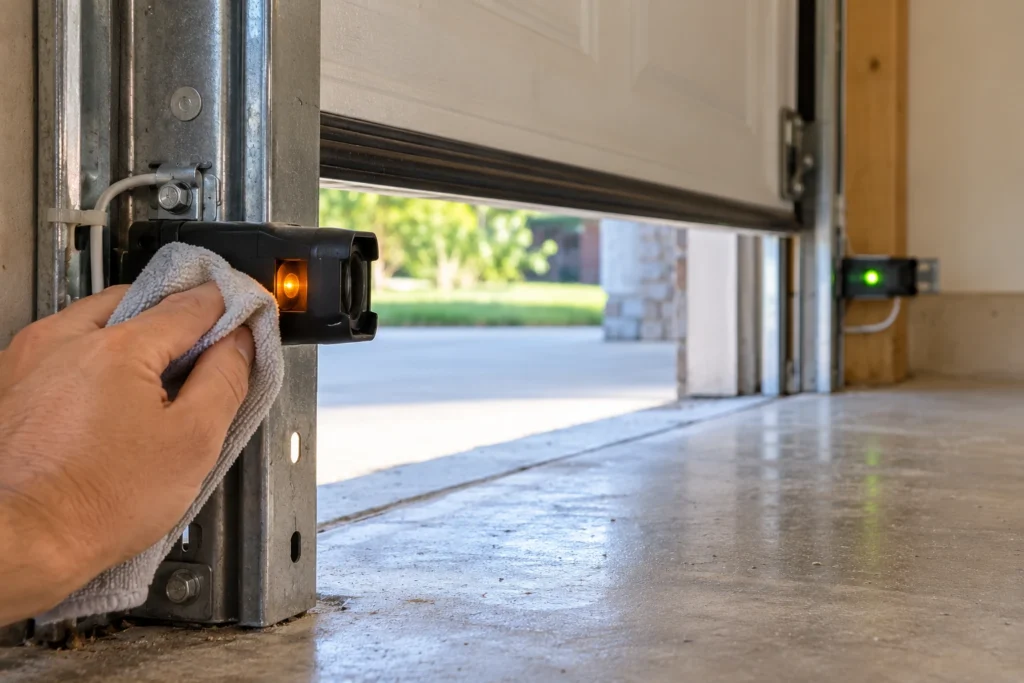
- Look at the sensor lights. The sending sensor has an amber light and the receiving sensor has a green light. Both should glow steady.
- Green light off or flickering: the sensors are misaligned or something is in the beam. Loosen the wing nut, aim the green sensor at the amber one, and tighten once the green light is steady.
- Both lights off: the sensors have no power. Look for a cut, stapled, or chewed wire, or a loose wire at the back of the motor head.
- Dirty lenses or direct sun: wipe both lenses with a soft cloth. Low morning or evening sun shining straight into the receiver can also block the beam.
- Height: LiftMaster’s manual says the beam should be no higher than 6 inches above the floor.
As a temporary workaround, you can close the door by pressing and holding the wall button until it reaches the floor. That proves the sensors are the issue, but it isn’t a fix. If your sensors are damaged, the genuine LiftMaster 041A5034 safety sensor kit is the standard replacement for LiftMaster, Chamberlain and Craftsman openers made since 1997. For a deeper walkthrough, see how to fix a garage door sensor and LiftMaster garage door 10 blinks.
Motor Runs but Door Doesn’t Move: Stripped Gear
If you hear the motor running and the light comes on but the chain doesn’t move, check the simple cause first: the trolley may be disengaged from the emergency release. Push the opener button and watch whether the chain travels along the rail while the door stays still. If the chain moves, re-engage the trolley. If the chain doesn’t move at all, the drive gear inside the motor head is almost certainly stripped.
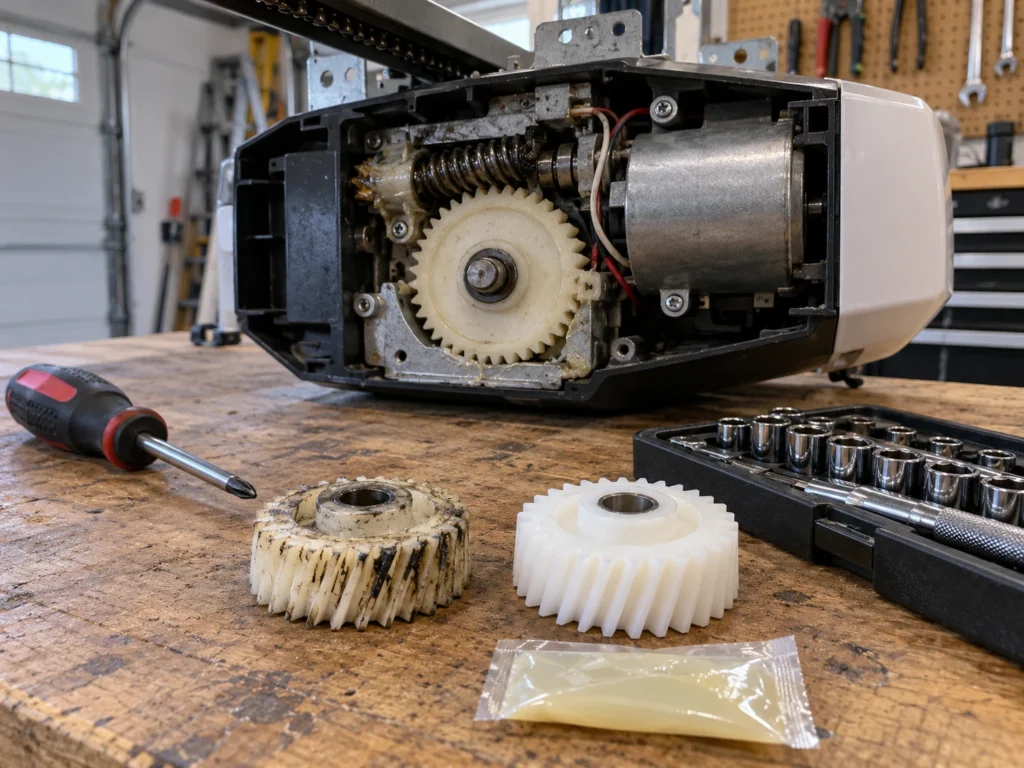
The gear is a white or beige plastic part designed to wear out before the motor does. Grinding, a chain that moves a few inches and stops, or a motor that spins freely are all signs it’s worn. Our LiftMaster chain not moving guide covers this in more detail.
- Unplug the opener and close the door. Take off the light lens and the motor cover.
- Remove the sprocket cover on top, then the chain from the sprocket.
- Pull the retaining pin and remove the old drive gear and worm gear assembly.
- Clean out the old grease and plastic shavings, fit the new gear, and grease it with the packet included in the kit.
- Reassemble, put the chain back on, set the chain tension, and reset the travel limits.
Gear kits sold under part number 41A2817 fit most LiftMaster, Chamberlain and Craftsman 1/3 HP and 1/2 HP chain drive units. A 41A2817-compatible gear and sprocket kit usually costs $20 to $35. Confirm your model before ordering, because screw drive units use a different kit. Most homeowners finish the job in one to two hours with a screwdriver, a socket set, and a hammer and punch.
Opener Hums or Does Nothing at All
A short hum with no movement and a completely silent opener have different causes, so it helps to separate them.
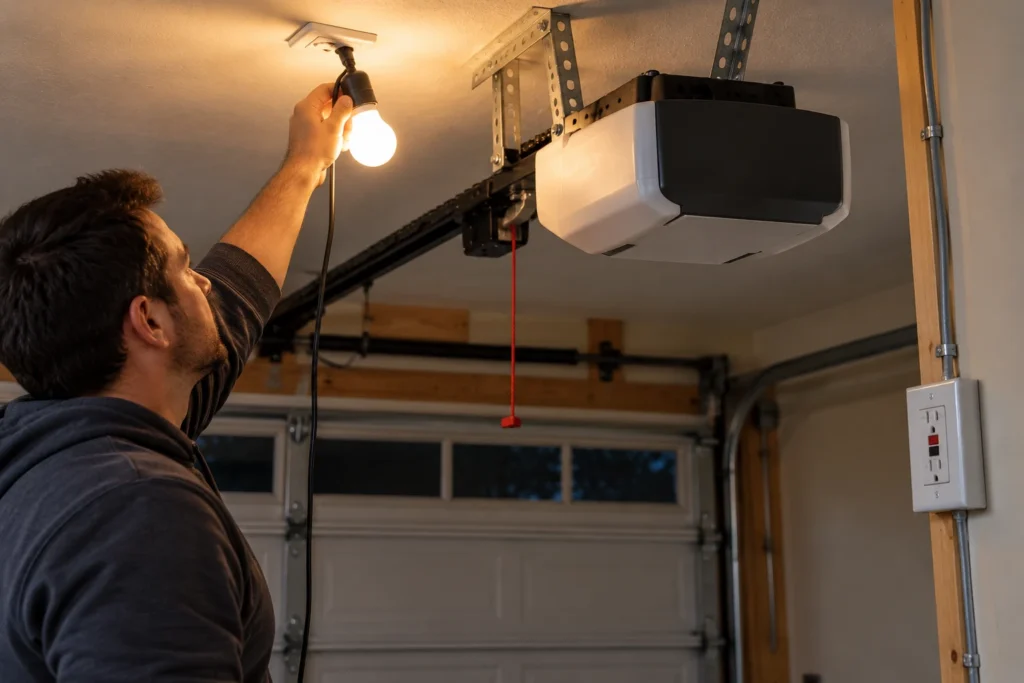
The Motor Hums but Won’t Move
- The door is the problem: a broken spring, a locked door, or a door jammed in its tracks. Do the door test from the section above first.
- Failing start capacitor: the AC motors in these openers use a capacitor to start. A weak capacitor makes the motor hum without turning, often after a power surge. Replacing it is a job for someone comfortable with electrical parts, because capacitors can hold a charge.
- Seized motor: if the motor hums with the chain removed, the motor itself is failing, and replacing the opener is usually the better choice.
Nothing Happens at All
- Power: plug a lamp into the opener’s outlet. Check the breaker and reset any GFCI outlet in the garage, since one GFCI can cut power to several outlets.
- Lock mode: if you have a multi-function wall control with a LOCK button, a blinking command button light means remotes are locked out. Press and hold LOCK for about two seconds to turn it off.
- Wall control wiring: touch the two wall control wire terminals on the motor head together with a short piece of wire. If the opener runs, the wall button or its wire is the problem.
- Overheating: after several cycles in a row, the motor’s thermal protector shuts it down. Let it cool for 15 to 30 minutes and try again.
- Logic board: if there’s power at the outlet, the wire test does nothing, and the motor isn’t hot, the logic board has likely failed. Replacement boards for older 1/3 HP units typically cost $70 to $150.
Door Reverses or Stops Short: Force and Limits
Once the sensors check out, nuisance reversing and stopping in the wrong place come down to two settings on the motor head. On most 1/3 HP models, the force controls are on the back panel and the limit adjustment screws are on the side.
- Door reverses partway down: the down force may be set too light for a door that has started to stick. Lubricate the rollers and hinges first, then turn the down force control slightly clockwise, about a quarter turn at a time, and test.
- Door stops before reaching the floor or doesn’t open fully: adjust the down or up limit screw. On most LiftMaster screw-style limits, each full turn moves the door roughly 2 inches.
- Door hits the floor and bounces back up: the down limit is set too far. Turn the down limit screw a little in the opposite direction.
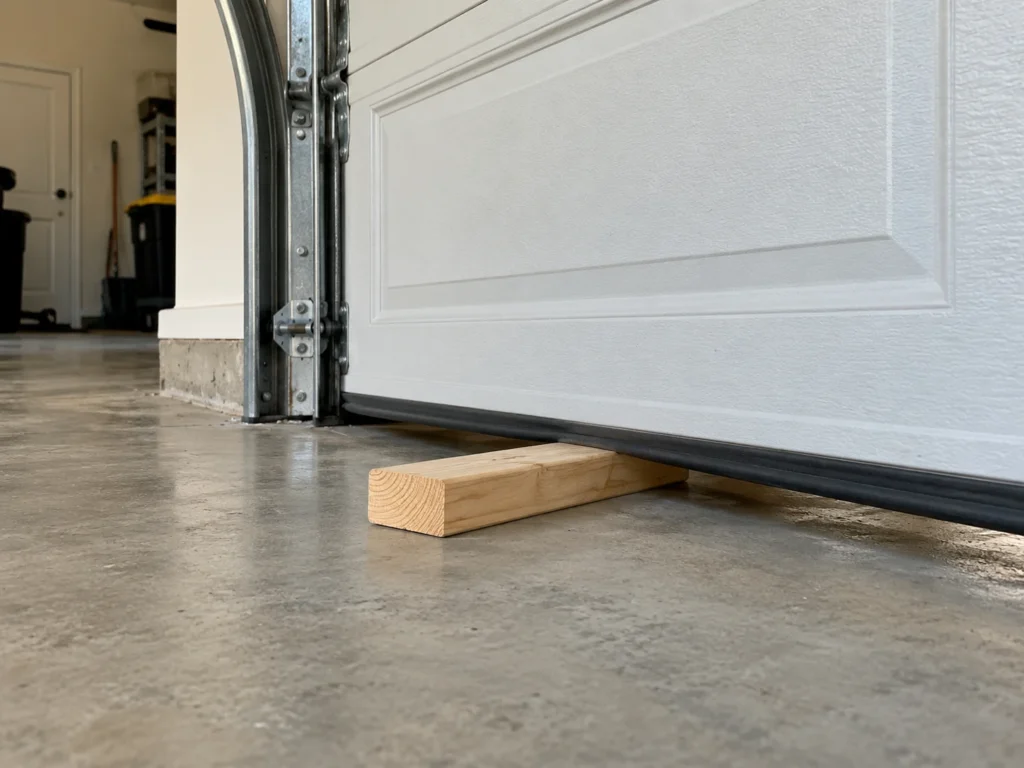
After any change, run LiftMaster’s safety reverse test: lay a 2×4 flat on the floor where the door closes. The door must reverse when it touches the board. If it doesn’t, reduce the force setting. Never turn the force up to cover a sticking door, because that removes the protection that stops the door on a person, pet, or car. If your opener only closes while you hold the button, see LiftMaster door won’t close without holding the button.
Remote, Keypad, or Wall Button Not Working
If the wall button works but the remote doesn’t, the opener is fine and the problem is in the remote or its programming.
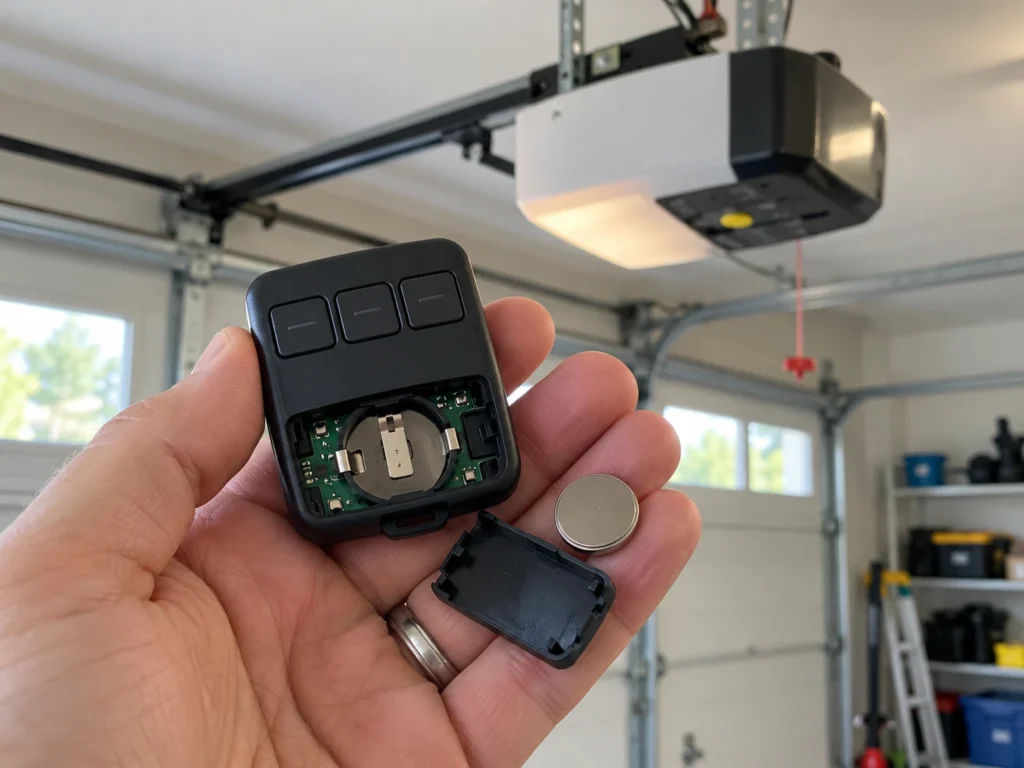
- Replace the remote battery. Most LiftMaster remotes from this era use a 3V coin cell.
- Check that the opener isn’t in lock mode, which blocks every remote.
- Reprogram: press and release the learn button on the motor head, then within 30 seconds press the remote button until the opener lights blink or you hear two clicks.
- Match the remote to the learn button color. A newer yellow-button remote won’t work on an older green, orange/red, or purple opener unless it’s a universal remote.
The LiftMaster 375UT and 893MAX universal remotes are the common replacements for older 1/3 HP units. Our LiftMaster 375UT guide lists the exact programming steps by learn button color, and the LiftMaster remote not working guide covers range problems. For keypads, see LiftMaster keypad programming with no Enter button. If the light won’t come on with the opener, check the bulb wattage limit first; the manual for these models lists 75 watts maximum. See LiftMaster garage light won’t turn on.
How to Reset a LiftMaster 1/3 HP Opener
These openers have no single reset button, so “reset” means one of two things:
- Power reset: unplug the opener for about one minute, then plug it back in. This clears a temporary glitch after a power surge. Your remotes and travel limits stay saved.
- Erase all remotes and keypads: press and hold the learn button until its small LED goes out, about 6 seconds. Every remote and keypad is erased, so reprogram the ones you still use right away. Do this if a remote was lost or stolen, or after you move into a home with an existing opener.
Repair Costs and When to Replace
Most 1/3 HP repairs are cheap if you do them yourself. Here’s what to expect, based on typical parts and service prices in the US.
| Repair | DIY Parts Cost | Typical Pro Cost | Worth Repairing? |
|---|---|---|---|
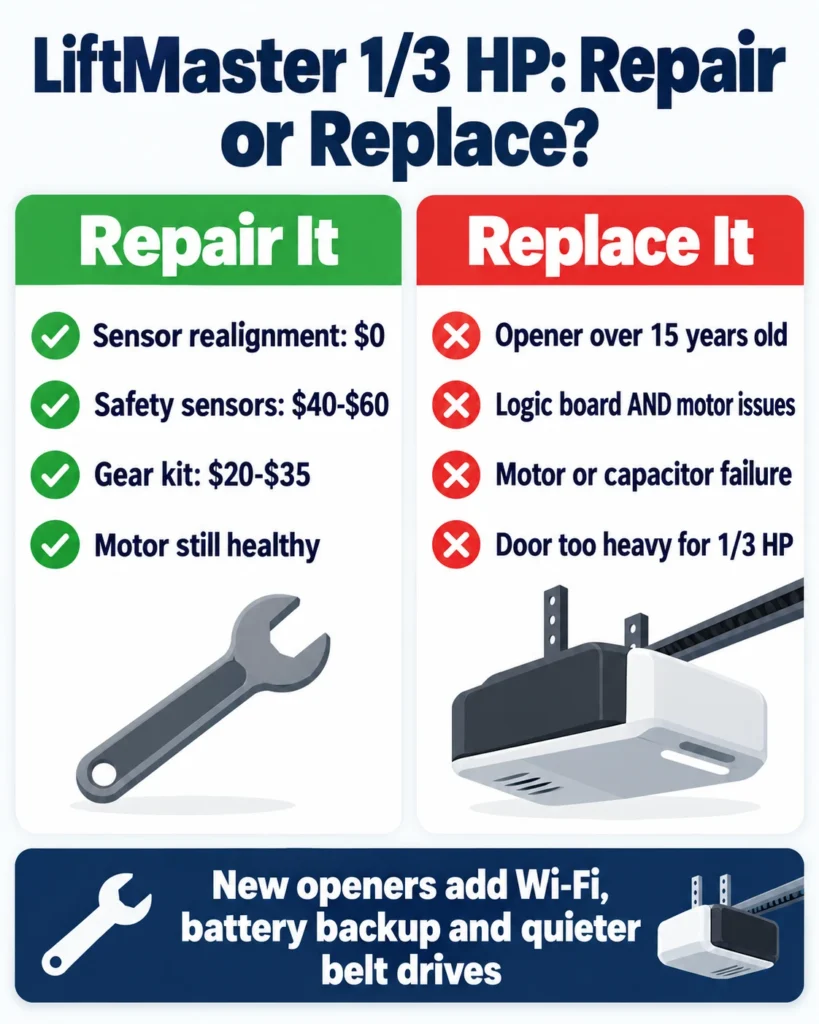
| Sensor realignment or cleaning | $0 | $75 to $150 service call | Always |
| Safety sensor replacement | $40 to $60 | $120 to $200 | Yes |
| Drive gear kit | $20 to $35 | $150 to $250 | Yes, if the motor is healthy |
| Logic board | $70 to $150 | $200 to $300 | Only if the opener is otherwise in good shape |
| Motor or capacitor failure | Varies | $200 or more | Usually replace the opener |
A good rule: if the opener is more than 15 years old and needs a logic board or motor, spend that money on a new opener instead. A new unit adds features older 1/3 HP models don’t have, such as Security+ 2.0 rolling codes, smartphone control, quieter belt drives, and battery backup, which California has required on new installs since 2019.
Two solid replacements: the Chamberlain B4613T is a quiet belt drive with built-in Wi-Fi and battery backup, and the Chamberlain B2405 is a budget chain drive with Wi-Fi but no battery backup. For more options, see our best Chamberlain garage door opener guide, our 1/2 HP chain drive opener guide, and our picks for the best garage door opener with battery backup.
Affiliate disclosure: As an Amazon Associate, we earn from qualifying purchases. This doesn’t change our recommendations or your price.
Common Mistakes to Avoid
Most repeat failures on 1/3 HP openers come from fixing the symptom instead of the cause.
- Replacing the gear without checking the door. If a heavy or unbalanced door stripped the first gear, the new one will strip too.
- Turning up the force to stop reversing. This hides the real problem and can defeat the safety reverse.
- Over-tightening the chain. A chain that’s too tight loads the gear and sprocket. It should sit about 1/2 inch above the base of the rail at the midpoint.
- Ignoring grinding. Catching a worn gear early keeps plastic debris from damaging other parts.
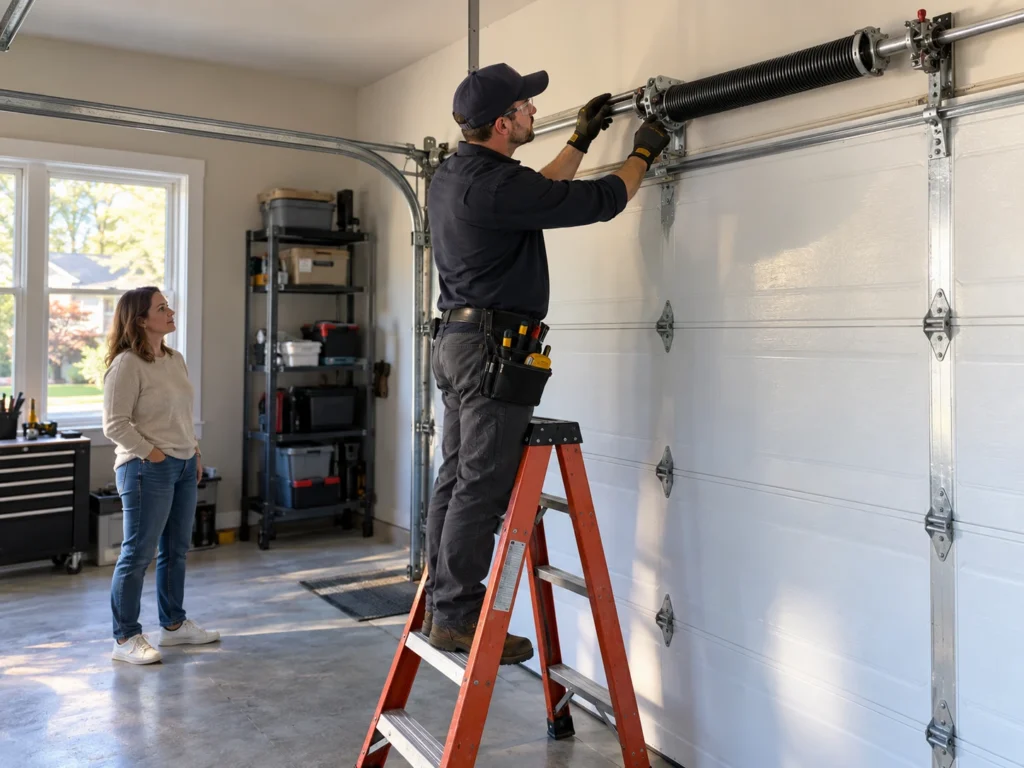
- Working on springs or cables yourself. Torsion and extension springs cause serious injuries every year; leave them to a trained technician.
Frequently Asked Questions
Why does my LiftMaster 1/3 HP opener make grinding noises but the door still opens?
The drive gear teeth are usually partly worn but not fully stripped yet. Enough teeth remain to move the chain, but plan to replace the gear kit soon and check the door balance so the new gear doesn’t wear out the same way.
How do I know if my opener is 1/3 HP?
Check the label on the motor unit or the light lens badge. Models 1345 and 1346 are 1/3 HP, while the similar-looking 1355 and 1356 are 1/2 HP.
Why do the lights on my LiftMaster flash 10 times?
On older LiftMaster openers without diagnostic arrows, 10 flashes means the opener sees a problem with the safety sensors. Check for a blocked beam, misalignment, or a damaged wire. Number codes like 1-1 or 4-1 only appear on newer Security+ 2.0 and 3.0 models with up and down arrows, and 4-1 relates to the motor and force, not the sensors.
Can I replace just the motor on a 1/3 HP opener?
Not practically. The motor isn’t sold as a simple homeowner part for these models, and a new motor costs close to a new opener. If the motor has failed, replace the whole unit.
Is it safe to keep using a 1/3 HP opener that’s struggling?
If it’s just slow or a little noisy, it’s usually safe while you diagnose it. If it stalls partway, reverses unpredictably, or the door feels heavy by hand, stop using it until you’ve found the cause, especially if a spring might be broken.
How do I reset my LiftMaster Professional 1/3 HP opener?
Unplug it for about a minute to clear a glitch. To erase every remote and keypad, hold the learn button for about 6 seconds until the LED turns off, then reprogram the remotes you want to keep.
Will a new remote work with my old 1/3 HP LiftMaster?
Yes, if it matches your learn button color or is a universal model like the LiftMaster 375UT or 893MAX. Openers built before 1993 without safety sensors generally aren’t supported by current remotes.
How much does a professional repair cost?
A basic service call for sensor or gear work typically runs $150 to $250, while a logic board replacement with labor often runs $200 to $300. DIY parts for the same repairs usually cost $20 to $150.
Related Guides
For other LiftMaster opener guides, see How Many Openers Can You Program to a LiftMaster?, LiftMaster Garage Door Won’t Close Without Holding Button, LiftMaster Keypad Programming With No Enter Button, LiftMaster Garage Door Remote Not Working, LiftMaster Garage Light Won’t Turn On, How to Fix LiftMaster Error Code 1-5, LiftMaster 375UT Not Working, LiftMaster Garage Door 10 Blinks, LiftMaster Garage Door Chain Not Moving and LiftMaster Error Code 42.
For official manufacturer guidance, see LiftMaster’s official support center.