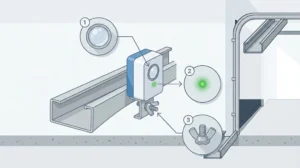

A Chamberlain garage door opener that keeps beeping is telling you something, and how often it beeps is the clue. A beep every 2 seconds, a beep every 30 seconds, eight seconds of beeping before the door closes, or a run of Wi-Fi setup beeps each mean something different. Most causes take minutes to fix. This guide covers every beep pattern Chamberlain and LiftMaster publish, and what to do about each.
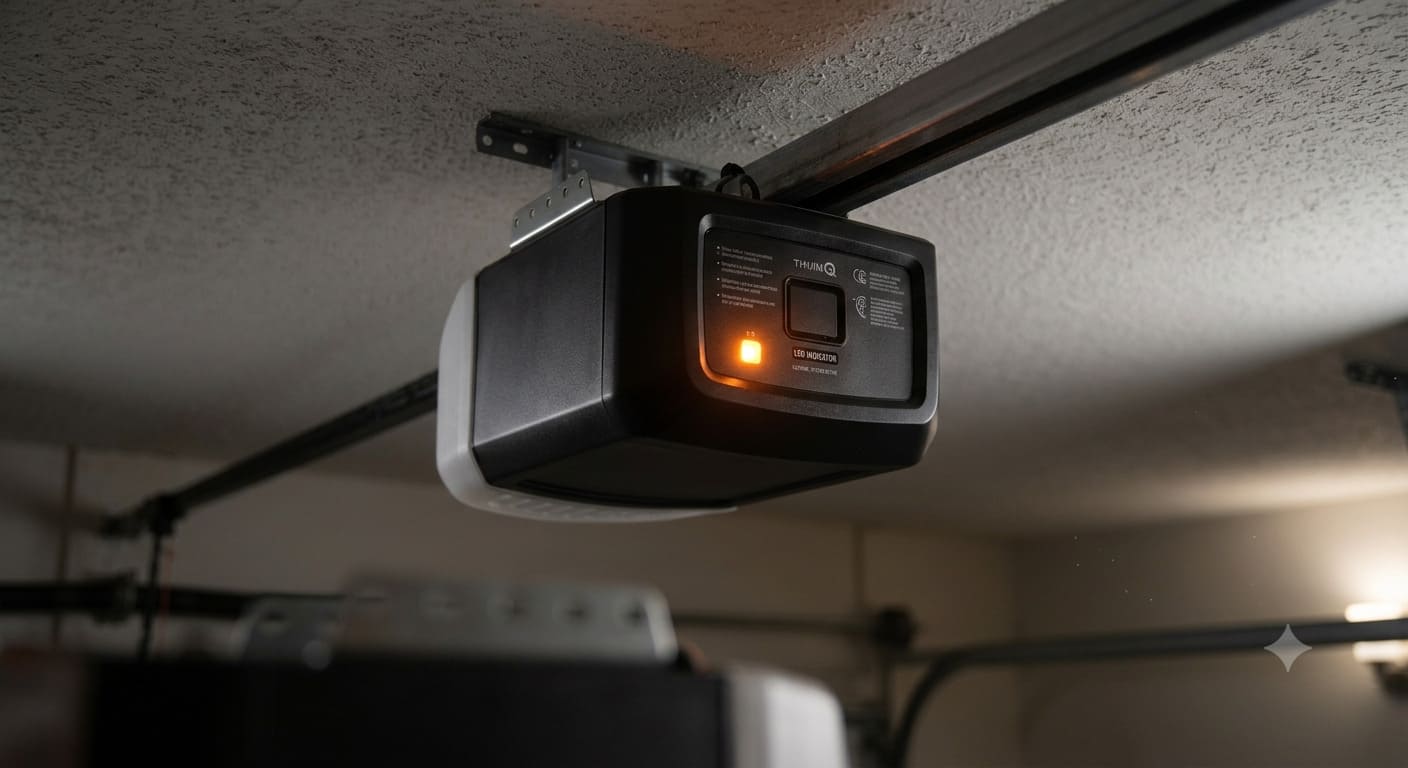
Short Answer: A Chamberlain opener that beeps about every 30 seconds almost always has a low or dead backup battery. A flashing orange battery LED with the beep means the battery is low; a solid red LED with the beep means the battery can no longer recharge and needs replacing. A beep every 2 seconds with a solid orange LED means the opener is running on battery because it has no wall power (Chamberlain/LiftMaster support). To silence it until the new battery arrives, unplug the opener, disconnect the battery, and plug the opener back in.
Chamberlain Beep Patterns and What They Mean
Not every beep means something is wrong. A single beep while you set limits or force, or press the UP and DOWN arrow buttons, is just a confirmation. Repeated beeping is different. Note how often it repeats and what the battery LED is doing, then match it to the table below. Every row comes from Chamberlain/LiftMaster’s own beeping support article.
| What You Hear and See | Meaning | Fix |
|---|---|---|
| Beep every 2 seconds, battery LED solid orange | Running on battery power (no wall power) | Restore power; check the breaker and test the outlet with another device |
| Beep every 30 seconds, battery LED flashing orange | Backup battery is low | Confirm the outlet has power; if the LED doesn’t change to flashing green, replace the battery |
| Beep every 30 seconds, battery LED solid red | Battery is dead and can’t recharge | Replace the battery |
| One beep while setting limits/force or pressing UP/DOWN arrows | Normal confirmation (Security+ 2.0) | No action needed |
| Beeping for 8 seconds before the door closes | Timer-to-Close is about to close the door | Normal; turn off Timer-to-Close if you don’t want it |
| Constant beeping while the door moves down | Door is closing on its own (unattended close from the app or timer) | Normal warning; it stops when the door is fully closed |
| Beep plus the lights flash 5 times | Door hit something: it stopped (opening) or reversed (closing) | Clear the obstruction and check the door moves freely |
| 1, 2 or 3 beeps, or one long beep, during Wi-Fi setup | Wi-Fi mode status (see the Wi-Fi section below) | Finish or redo the myQ Wi-Fi setup |
You may see “4 beeps”, “5 beeps” or “10 beeps” fault charts on other sites. Chamberlain’s support article does not list beep-count codes like these. Safety sensor problems show up as flashing lights on the opener (10 flashes on many models) or as arrow-flash diagnostic codes, not as beeps. See our guide to the 10-blink sensor code.
Fix 1: Low or Dead Backup Battery (Most Common)
This is the cause of most Chamberlain beeping complaints. A beep every 30 seconds with a flashing orange battery LED means the battery is low. First plug another device into the opener’s outlet to make sure it has power. If the outlet is live and the LED does not change to flashing green, the battery needs replacing. A solid red LED with the beep means the battery is dead and cannot recharge.
How to replace the Chamberlain backup battery
- Unplug the opener from the ceiling outlet.
- Open the battery cover on the motor unit and disconnect the battery’s wire connector.
- Fit the new battery and reconnect the wires the same way.
- Close the cover and plug the opener back in. The battery LED should change to show the battery is charging.
Chamberlain’s support article describes the backup battery as a 12-volt, 4.5 amp-hour rechargeable battery that weighs about 4.5 lbs. A fully charged battery gives 24 hours of standby time, during which the opener can run up to 20 full cycles at room temperature, and it carries a one-year warranty (source). Chamberlain recommends OEM batteries and puts their expected life at about 1 to 2 years. LiftMaster’s replacement battery is sold as part 485LM. Chamberlain-branded units may list a different part number, so check the label on your old battery or your opener’s parts diagram before ordering.
How to stop the beeping temporarily while waiting for a new battery
Unplug the opener from the ceiling outlet. Then disconnect the backup battery. Plug the opener back in. The beeping stops because there is no battery to warn about, and the opener runs on wall power only. Reconnect the new battery when it arrives.

Fix 2: Power Outage Beeping (Every 2 Seconds)
When wall power is lost, an opener with battery backup switches to battery power and beeps every 2 seconds. The battery LED turns solid orange. This is normal: the opener is working as designed.
If power is back in the house but the LED is still orange, check the circuit breaker for the garage outlet, then plug a different device into the outlet to test it. If the outlet is dead, the opener stays on battery and keeps beeping until the outlet is fixed.
Fix 3: Timer-to-Close and Unattended-Close Warning Beeps
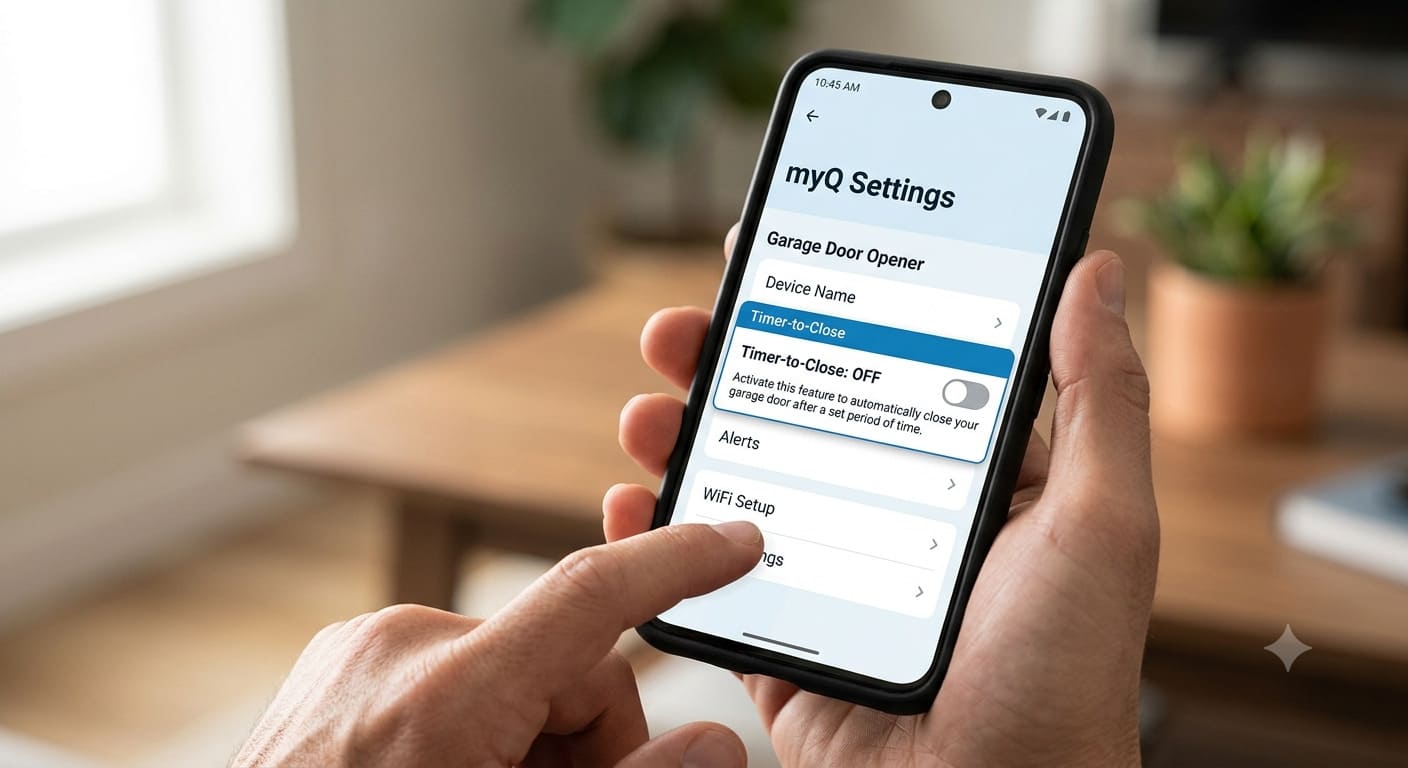
If your opener has Timer-to-Close, it beeps for eight seconds before the door closes and keeps beeping until the door is fully closed. Constant beeping while the door moves down also happens when the door is closed remotely from the myQ app. Both are safety warnings, not faults.
To stop the door closing on its own, turn off Timer-to-Close in the myQ app (open the opener’s settings) or from the wall control if yours has a display menu. The exact steps vary by wall control, so follow your wall control’s manual.
Fix 4: Beep and 5 Light Flashes (Obstruction)
Since November 15, 2020, Security+ 2.0 openers report when the door hits something. If the door hits an object while opening, it stops, the opener beeps, and the lights flash five times. If it hits something while closing, it reverses, beeps, and flashes the lights five times. Wi-Fi openers received this through an automatic update.
Look for anything in the door’s path, then check the door itself. Pull the red emergency release cord with the door closed and lift the door by hand. It should move smoothly and stay put about halfway up. If it is heavy, sticks or drags, the door or springs need attention; have a technician handle springs and cables.

Fix 5: Wi-Fi Setup Beeps
Wi-Fi openers beep while you connect them to myQ. Chamberlain lists these patterns:
| Wi-Fi Beep | Meaning |
|---|---|
| 1 beep | Opener entered Wi-Fi mode |
| 1 continuous beep | Trying to connect to the router |
| 2 beeps | Trying to connect to the myQ server |
| 3 slow beeps | Connected to the network |
| 3 fast beeps | Wi-Fi settings erased |
| 1 continuous beep, then 3 fast beeps | Couldn’t connect, usually a wrong Wi-Fi password; the blue LED turns off |
| No beeps | Wi-Fi mode timed out after 20 minutes or failed to connect |
Beeping From an Opener Without a Battery
If your opener has no backup battery, the beep is coming from something else. Chamberlain names the 888LM and 889LM myQ control panels and the myQ Garage / Smart Garage Hub as common sources. If you have none of those, check nearby smoke alarms, carbon monoxide alarms, a water softener, or any other device that chirps when its own battery is low.
Quick Diagnosis Table
| Symptom | Probable Cause | DIY Suitability |
|---|---|---|
| Beep every 2 sec, battery LED solid orange | No wall power, running on battery | Safe for DIY |
| Beep every 30 sec, battery LED flashing orange | Battery low | Safe for DIY |
| Beep every 30 sec, battery LED solid red | Battery dead | Safe for DIY |
| Beeping before or during an automatic close | Timer-to-Close or myQ remote close | Safe for DIY |
| Beep plus lights flash 5 times | Door hit an obstruction | DIY check; springs and cables need a pro |
| Lights flash (no beeps), door won’t close | Safety sensors blocked or misaligned | Safe for DIY |
If your Chamberlain beeping comes with a keypad that has stopped working, see Chamberlain keypad not working or how to reset a Chamberlain keypad without the code. For sensor problems, our garage door sensor repair guide walks through alignment and wiring checks.
Related Guides
For other Chamberlain guides, see Where Is the Learn Button on a Chamberlain Garage Door Opener?, How to Reset a Chamberlain Garage Door Opener and Best Chamberlain Garage Door Opener.
Frequently Asked Questions
Why is my Chamberlain garage door opener beeping every 30 seconds?
A beep every 30 seconds means the backup battery is low (flashing orange battery LED) or dead and unable to recharge (solid red LED). Test the outlet with another device first. If it has power and the LED doesn’t change to flashing green, replace the battery.
How do I stop my Chamberlain opener from beeping immediately?
Unplug the opener from the ceiling outlet, disconnect the backup battery, and plug the opener back in. The beeping stops because there is no battery to warn about. Reconnect a new battery when it arrives.
What does 4 or 5 beeps on a Chamberlain opener mean?
Chamberlain does not publish 4-beep or 5-beep fault codes. A beep together with five light flashes means the door hit an obstruction and stopped or reversed. Safety sensor faults show as flashing lights or diagnostic codes, not beeps.
My Chamberlain opener beeps after a power outage. Is this normal?
Yes. During an outage an opener with battery backup runs on battery and beeps every 2 seconds with a solid orange battery LED. If power is back but the LED stays orange, check the breaker and test the outlet with another device.
Which battery do I need for my Chamberlain opener?
Chamberlain describes its backup battery as a 12-volt, 4.5 amp-hour rechargeable battery. LiftMaster sells its replacement as part 485LM. Check the label on your old battery or your opener’s parts diagram to confirm the right part for your model.
Why does my opener beep if it has no battery backup?
Chamberlain says the beep is then coming from another device, such as an 888LM or 889LM myQ control panel, a myQ Garage or Smart Garage Hub, or a nearby smoke alarm, CO alarm or water softener with a low battery.