
If your LiftMaster 375UT remote stopped working, you’re dealing with one of the most common universal remote problems out there. The 375UT is a handheld universal remote — not a garage door opener itself — and most “not working” issues come down to three things: a dead battery, lost programming, or a range problem.
The good news is that all three are easy DIY fixes. You don’t need any tools beyond a small coin and a fresh CR2032 battery.
Short Answer: A LiftMaster 375UT remote that stopped working is almost always a dead CR2032 battery or lost programming. Replace the battery first, then reprogram the remote by pressing the learn button on your garage door opener’s motor unit, followed by the remote button you want to use. If the wall control still operates the door normally, the problem is isolated to the remote itself.
What Is the LiftMaster 375UT?
The 375UT is a handheld universal remote control made by Chamberlain Group (LiftMaster’s parent company). “Universal” means it’s designed to work with multiple opener brands — LiftMaster, Chamberlain, Craftsman, Sears, and others that use Chamberlain’s rolling code technology.
It runs on a single 3V CR2032 coin battery and uses rolling code security. Every time you press the button, it sends a unique code to prevent someone from copying the signal and breaking in.
Because it’s a remote — not the opener itself — “not working” almost never means your garage door system is broken. It usually means the remote needs a battery, reprogramming, or both.

Step 1: Replace the Battery
This fixes the problem more often than anything else. The 375UT’s battery compartment slides open from the side or back, depending on your remote’s casing style.
Look for a small tab or groove on the edge of the remote. Slide the cover off, pop out the old CR2032, and insert a new one with the positive (+) side facing up — usually marked on the battery itself.
If you press a button and see no LED light at all, that’s a strong sign the battery is completely dead. CR2032 batteries typically last 2 to 7 years depending on usage.
| Symptom | Probable Cause | DIY Suitability | Safety Risk Level |
|---|---|---|---|
| No LED light when pressing button | Dead battery | Safe for DIY | Low |
| LED lights up but door doesn’t respond | Lost programming or out of range | Safe for DIY | Low |
| Works only when very close to opener | Weak battery or antenna issue | Safe for DIY | Low |
| Door responds to wall button but not remote | Remote needs reprogramming | Safe for DIY | Low |
Step 2: Check the LED Indicator
Press the button you normally use and watch the small LED light on the front of the remote. A healthy remote will flash briefly every time you press a button — even if the door doesn’t open.
If the LED flashes but the door doesn’t respond, the battery is fine. The remote has either lost its programming, or it’s sending a code the opener no longer recognizes.
If the LED doesn’t light up even with a brand-new battery, the remote’s internal circuit board has likely failed. At that point, replacement is more practical than repair — a new universal remote costs $15–$30.

Step 3: Reprogram the Remote
Reprogramming syncs the remote’s rolling code with your garage door opener’s logic board. This is necessary after a battery change on some models, after a power outage, or if the remote was reset.
Here’s the general process for most LiftMaster and Chamberlain openers:
- Locate the “Learn” button on the motor unit — usually purple, orange, or yellow, near the antenna wire.
- Press and release the Learn button. An indicator light near it will glow for about 30 seconds.
- Within that 30-second window, press and hold the button on your 375UT remote that you want to program.
- Release when the opener’s motor light blinks, clicks, or the door moves slightly — this confirms the code was learned.
- Test the remote from inside your car at normal distance.
Common mistake: pressing the remote button too early or too late in that 30-second window. If the first attempt doesn’t work, just repeat the whole process — it doesn’t damage anything.
Step 4: Rule Out a Range or Antenna Problem
If reprogramming doesn’t help, test the remote standing directly under the opener unit. If it works there but not from your driveway, you likely have a range issue — not a remote problem.
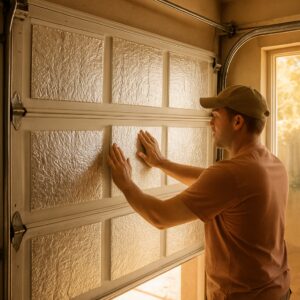
Range problems usually trace back to the opener’s antenna. Check that the antenna wire hangs down freely from the motor unit and isn’t tucked up against metal, which blocks the signal. Metal garage doors, metal siding, and even some insulation can shorten remote range significantly.
If your other LiftMaster remotes are also losing range, the issue is likely on the opener side, not the 375UT specifically. Our guide on LiftMaster garage door remote not working covers opener-side fixes in detail.
| Fix | Cost | Time | DIY Suitability |
|---|---|---|---|
| Replace CR2032 battery | $2–$5 | 5 minutes | Safe for DIY |
| Reprogram remote | $0 | 5–10 minutes | Safe for DIY |
| Replace antenna wire | $10–$20 | 15–30 minutes | Safe for DIY |
| Replace remote entirely | $15–$30 | 10 minutes | Safe for DIY |
When the Wall Control Also Stops Working
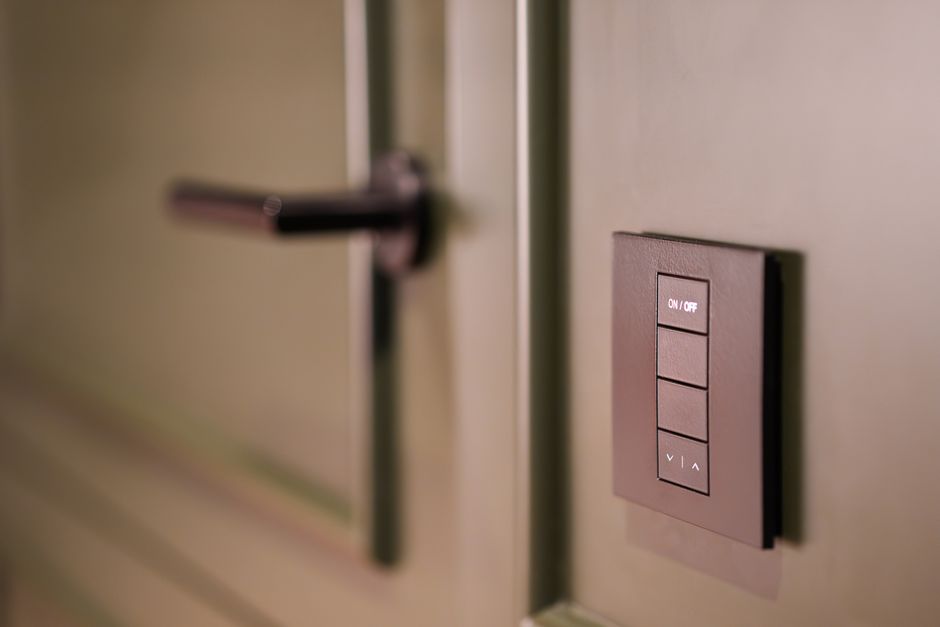
If your wall-mounted control panel stops responding too — not just the 375UT — the problem has shifted from the remote to the opener itself. This points to a logic board issue, a power problem, or a blown fuse on the circuit.
Check that the opener is still receiving power. The motor unit’s light should turn on when you flip the wall switch. If there’s no light and no sound when you press any control, check your home’s circuit breaker before assuming the opener itself failed.
For electrical setup questions, including whether your opener needs its own breaker, see our guide on whether a garage door opener needs a dedicated circuit.
Replacing the 375UT vs. Buying a New Universal Remote
If you’ve tried a new battery, reprogramming, and ruled out range issues, and the 375UT still won’t transmit, replacement is your best option. These remotes aren’t designed to be repaired internally — the circuit board is sealed.
A new 375UT or comparable Chamberlain-compatible universal remote runs $15–$30 online or at hardware stores. Programming a new remote takes the same 5-step process described above — there’s no difference in setup time between a repaired and a brand-new remote.
If you’re managing remotes for multiple drivers in your household, our guide on how many openers you can program to a LiftMaster explains the limits by model.
Frequently Asked Questions
What battery does the LiftMaster 375UT use?
The LiftMaster 375UT uses a single 3V CR2032 coin cell battery. These are widely available at grocery stores, pharmacies, and hardware stores for $2 to $5. Replace it by sliding open the back or side panel of the remote.
How do I program a LiftMaster 375UT to a new garage door opener?
Press the Learn button on your garage door opener’s motor unit, then within 30 seconds, press and hold the button on the 375UT you want to use. Release when the opener’s light blinks or the motor clicks. Test the remote to confirm it works.
Why does my 375UT work sometimes but not other times?
Intermittent operation usually means a weak battery that still has a small charge, a loose battery connection, or a marginal antenna signal. Try a fresh battery first, since this resolves the majority of intermittent remote issues.
Can the LiftMaster 375UT work with any garage door opener?
The 375UT works with most openers that use Chamberlain’s rolling code technology, including LiftMaster, Chamberlain, Craftsman, and Sears models from the past two decades. It is not compatible with very old fixed-code openers from before the mid-1990s.
Is it worth repairing a LiftMaster 375UT or should I replace it?
The 375UT’s internal circuit board is sealed and not designed for repair. If a new battery, reprogramming, and range checks don’t fix it, replacing the remote for $15–$30 is more practical than attempting internal repairs.
Related Guides
For other LiftMaster opener guides, see LiftMaster Garage Door Won’t Close Without Holding Button, LiftMaster Keypad Programming With No Enter Button, LiftMaster Error Code 4-1, LiftMaster Garage Light Won’t Turn On, LiftMaster 1/2 HP Troubleshooting, LiftMaster 1/3 HP Troubleshooting, How to Fix LiftMaster Error Code 1-5, LiftMaster Garage Door 10 Blinks, LiftMaster Garage Door Chain Not Moving and LiftMaster Error Code 42.
For official manufacturer guidance, see LiftMaster’s official support center.