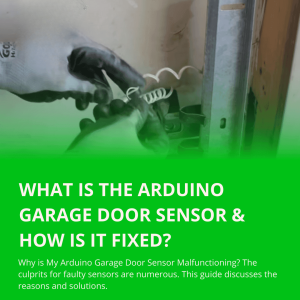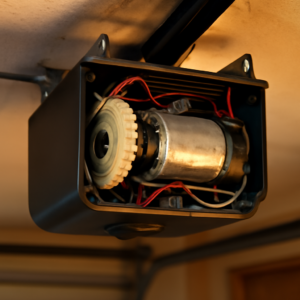


If your LiftMaster garage door won’t close without holding the button, the safety sensors are almost certainly the cause. If the door also reverses just before fully closing, that points to LiftMaster error code 4-1 — a separate but related issue. When sensors are misaligned or blocked, the opener stops the door unless you override it manually. Here is how to diagnose and fix it in under 20 minutes.
Introduction
Does your LiftMaster only close when you hold the wall button down? You are not alone. This issue is common and usually simple to fix. In this guide, you will learn the causes and the fastest solutions.
LiftMaster Won’t Close Without Holding Button: The Real Cause

Safety Sensor Problems
- Dirty lenses block the beam.
- Misaligned sensors make the LED blink.
- Objects in the doorway stop the door for safety.
Wiring or Power Issues
- Loose sensor wires at the opener or bracket.
- Damaged cables along the wall.
Control or Settings
- Wall control locked or stuck in “constant pressure” mode.
- Sunlight hitting the sensor eye at a sharp angle.
Step-by-Step Troubleshooting
- Clear the path. Remove bins, bikes, or toys near the tracks and sensors.
- Clean the lenses. Use a soft cloth. Do not scratch the glass.
- Check the LEDs. Both sensor lights should be solid. Blinking means misalignment.
- Realign the sensors. Gently twist each sensor until both LEDs stay solid. Tighten the wing nuts.
- Inspect wiring. Make sure the white and white/black wires are secure at the opener and at each sensor.
- Test the door. Press and release the wall button. The door should close without holding.
How to Realign LiftMaster Safety Sensors
Signs of Misalignment
- One or both LEDs are off or blinking.
- The door reverses or only works while holding the button.
Realignment Steps
- Loosen each sensor’s wing nut.
- Point both sensors directly at each other, about 6 inches off the floor.
- Watch for solid LEDs on both sensors.
- Tighten the wing nuts so they do not move.
Pro Tip
If sunlight floods one sensor, add a small hood or shade. A piece of cardboard or a manufactured visor works well.
Extra Checks That Often Fix It
- Wall control lock: Press and hold the “Lock” or “Vacation” button for 3–5 seconds to toggle it off.
- Remote batteries: Weak batteries can cause intermittent behavior.
- Door balance: A door that binds or is heavy can trigger safety reversal. Lubricate hinges and rollers, or call a pro for spring service.
When to Call a Professional
If sensors are aligned and wiring is good, the logic board or safety circuit may be faulty. Contact a LiftMaster-qualified technician for diagnosis and repair.
Related Guides
For other LiftMaster opener guides, see How Many Openers Can You Program to a LiftMaster?, LiftMaster Keypad Programming With No Enter Button, LiftMaster Garage Door Remote Not Working, LiftMaster Garage Light Won’t Turn On, LiftMaster 1/3 HP Troubleshooting, How to Fix LiftMaster Error Code 1-5, LiftMaster 375UT Not Working, LiftMaster Garage Door 10 Blinks, LiftMaster Garage Door Chain Not Moving and LiftMaster Error Code 42.
FAQs
Why does my liftmaster garage door won t close without holding button?
The safety sensors are likely dirty, blocked, or misaligned. Fix the beam first. Then check wiring and wall control settings.
Can I bypass sensors if my liftmaster garage door won t close without holding button?
No. Bypassing is unsafe and not recommended. Clean and align the sensors instead. Your opener is designed to protect people, pets, and vehicles.
Do I need a new opener if my liftmaster garage door won t close without holding button?
Usually not. Most cases are solved by cleaning, aligning, or rewiring the sensors. Replace parts only if they are damaged.
Watch This Quick Fix Video
Sometimes it’s easier to see the solution in action. This short video explains how to troubleshoot the most common issue: dirty or misaligned sensors.
▶️ Garage Door won’t Close without Holding the Button (YouTube)
Conclusion
If your liftmaster garage door won t close without holding button, start with sensors, wiring, and settings. These quick steps fix the majority of cases. Still stuck? Book a local garage door pro and get safe, smooth operation today.
Why Holding the Button Works But Letting Go Doesn’t
When you hold the button and the door closes, it tells you the opener motor is working fine. The issue is specifically with the safety sensor system. In automatic mode, the opener checks the sensor beam before and during closing. If it detects an interruption — real or false — it reverses or stops. Holding the button overrides this check and forces the door to close regardless of what the sensors detect.
This override exists for situations where you need to close the door despite a minor sensor issue, but it is not a permanent solution. Using it regularly bypasses an important safety feature designed to prevent the door from closing on people, pets, or objects.
Step-by-Step Sensor Fix
- Unplug the opener from the ceiling outlet before touching any wiring.
- Locate both sensors near the floor on each side of the door track, about 4-6 inches above the ground.
- Check the indicator lights. The sending sensor (usually amber) should glow steady. The receiving sensor (usually green) should also glow steady. A blinking light means misalignment.
- Loosen the wing nut on the bracket of the blinking sensor.
- Rotate the sensor slowly until both lights are solid and steady.
- Retighten the wing nut without shifting the sensor position.
- Wipe the sensor lenses with a dry cloth to remove dust or spider webs.
- Plug the opener back in and test the door without holding the button.
What If the Sensors Look Aligned But the Problem Continues?
Sometimes the sensor bracket itself is bent or the mounting position has shifted over years of use. In this case:
- Check that both sensors are at exactly the same height on each side
- Make sure nothing is hanging near the sensor path — a garden hose, a broom handle, or even a cobweb can break the beam intermittently
- Check the sensor wiring for any cuts, pinches, or loose connections at the back of the motor unit
- Try disconnecting and reconnecting the sensor wires at the motor unit terminals
If the wiring is damaged, the sensors will need replacing. LiftMaster replacement sensors (model 41A5034) are widely available and cost $15-25 for the pair.
Could It Be the Logic Board?
In rare cases, a faulty logic board sends false obstruction signals even when sensors are perfectly aligned. If you have replaced the sensors, confirmed clean wiring, and the problem persists, the logic board may need replacing. This is less common but worth knowing if everything else checks out.
For error codes that appear alongside this problem, our LiftMaster error code guide covers the most common fault codes and their meanings.
Frequently Asked Questions
Why does my LiftMaster reverse immediately after I let go of the button?
The opener is detecting a sensor fault the moment you release. Even a slight misalignment can cause this. Realign both sensors and ensure both indicator lights are steady before testing again.
Is it safe to keep holding the button to close my garage door?
No. Holding the button bypasses the safety sensors. If a child or pet walks under the door while you are holding it, the door will close on them. Fix the sensor issue before using the door normally.
How much does it cost to replace LiftMaster safety sensors?
A replacement LiftMaster sensor pair costs $15-25. Installation is straightforward and takes about 20 minutes with a screwdriver. No tools or technical knowledge beyond basic wiring is needed.